Day 9 Task: Deep Dive in Git & GitHub for DevOps Engineers.
What is Git and why is it important?
- Git is a version control system and it was created by Linus Torvalds. It maintains the history of all changes and those changes will be stored in a special database called repository.
It tracks the changes and updates also we can see who made the changes and why they made it.
Git provides developers to extensively work together collaboratively.
It also provides features such as branching and tagging, which make it easy to experiment with different versions of a project and track specific milestones.

What is the difference Between Main Branch and Master Branch?
The main branch — the one where all changes eventually get merged back into, and is called master.
The master branch is a default branch in Git. It is instantiated when the first commit is made on the project. When you make the first commit, you're given a master branch to the starting commit point. When you start making a commit, then master branch pointer automatically moves forward. A repository can have only one master branch.
The difference between the "main" and "master" branch is largely a matter of convention and preference. Some developers and organization prefer to use "main" to refer default branch, while other continue to use "masters"
Can you explain the difference between Git and GitHub?
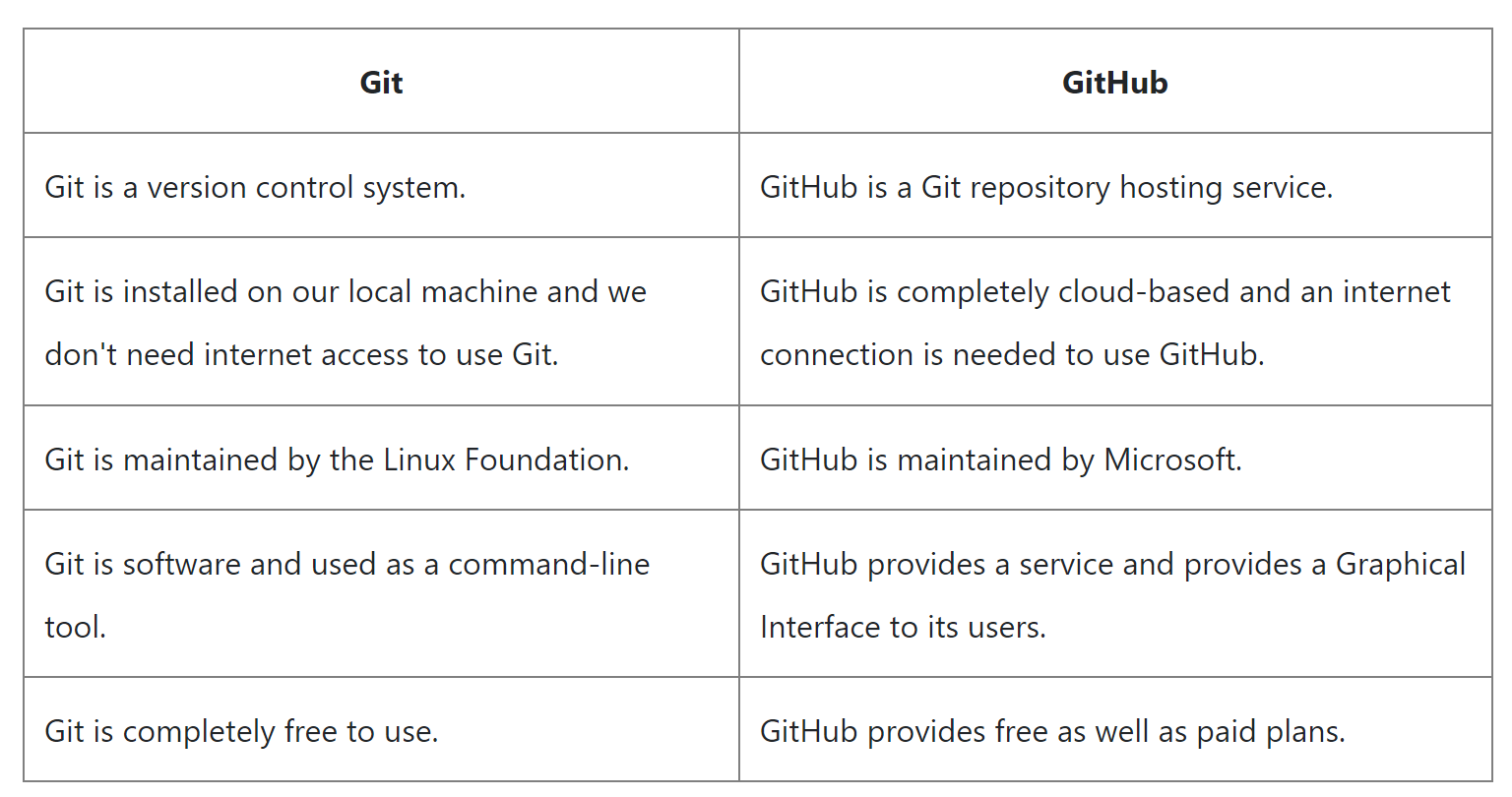
Git is a version control system that is used to manage different versions of our project whereas GitHub is a Git repository hosting service.
How do you create a new repository on GitHub?
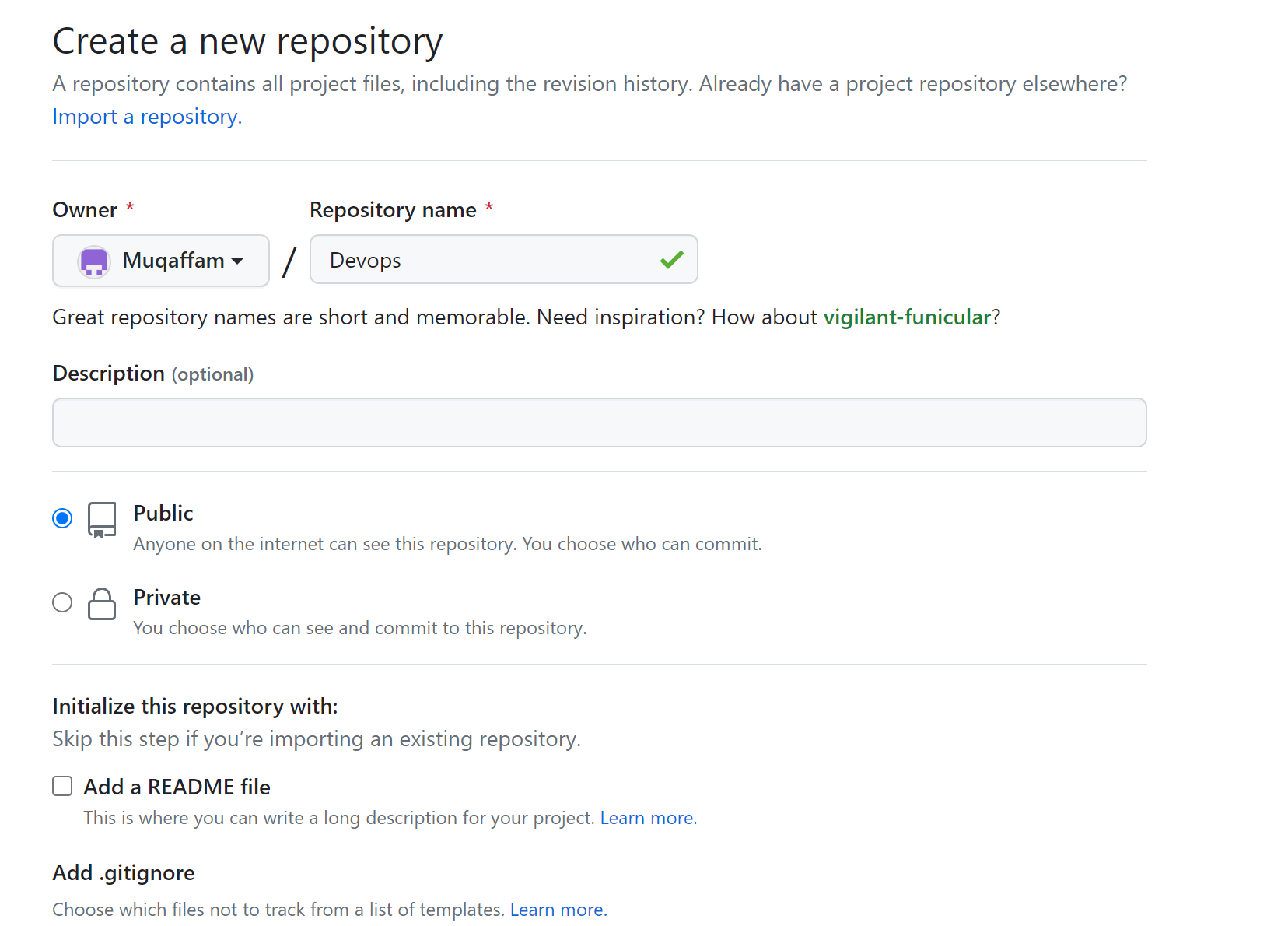
The steps for creating a new repository on GitHub are:
Login into your GitHub account.
Click on the "+" icon on the top-right corner of the page.
Select the "New repository" page, and give your repository a name.
On the "Create a new repository" page, give your repository a name.
Optionally, you can add a description of your repository.
Choose whether you want your repository to be public or private.
Select the option to initialize your repository with a README file.
You can also choose to add a .gitignore file and a license if you wish.
Click on the "Create repository" button to create your new repository.
After creating your repository, you can add files, folders, and other content to it, and start collaborating with others by sharing the repository's URL.
What is the difference between local & remote repositories? How to connect local to remote?
A local repository is a copy of the repository that is stored on your computer. When you make changes to the code, you commit them to the local repository.
A remote repository is a repository that is stored on a remote server, such as GitHub or Bitbucket. It is a central location where multiple developers can collaborate on a project.

Here are some common git commands:
git init: Initialize a new git repository. This is the first command you should run when starting a new project.
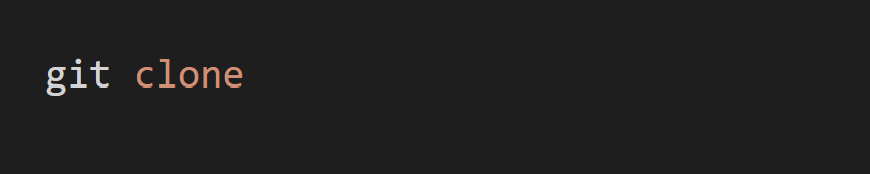
git clone: Clone an existing git repository. This command allows you to create a local copy of a remote repository.
git add: Add files to a repository. This command allows you to add new files or changes to already existing files to a git repository.
git commit: Make changes to a repository. This command saves your changes to the git history.
git push: Push changes to a git remote repository. This command pushes your local commits to a remote git repository.
git pull: Pull changes from a git remote repository. This command pulls down any remote changes and incorporates them into your local git repository.
git status: Check the status of your git repository. This will let you know which files have been modified and which files are being tracked by git.
git log: View the commit history for your git repository. This is useful for finding out when certain changes were made and who made them.
git reset: Reset your git repository to a specific commit. This command allows you to undo changes to a file or reset your git history.
Tasks
task-1:
Set your user name and email address, which will be associated with your commits.

task-2:
Create a repository named "Devops" on GitHub
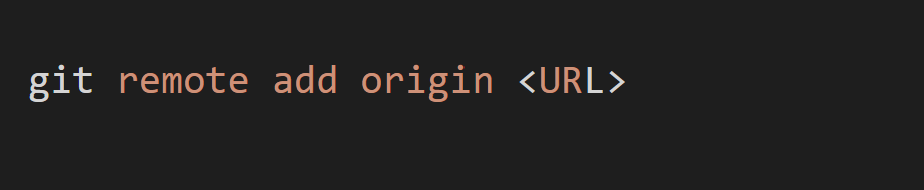
Connect your local repository to the repository on GitHub.
Create a new file in Devops/Git/Day-02.txt & add some content to it
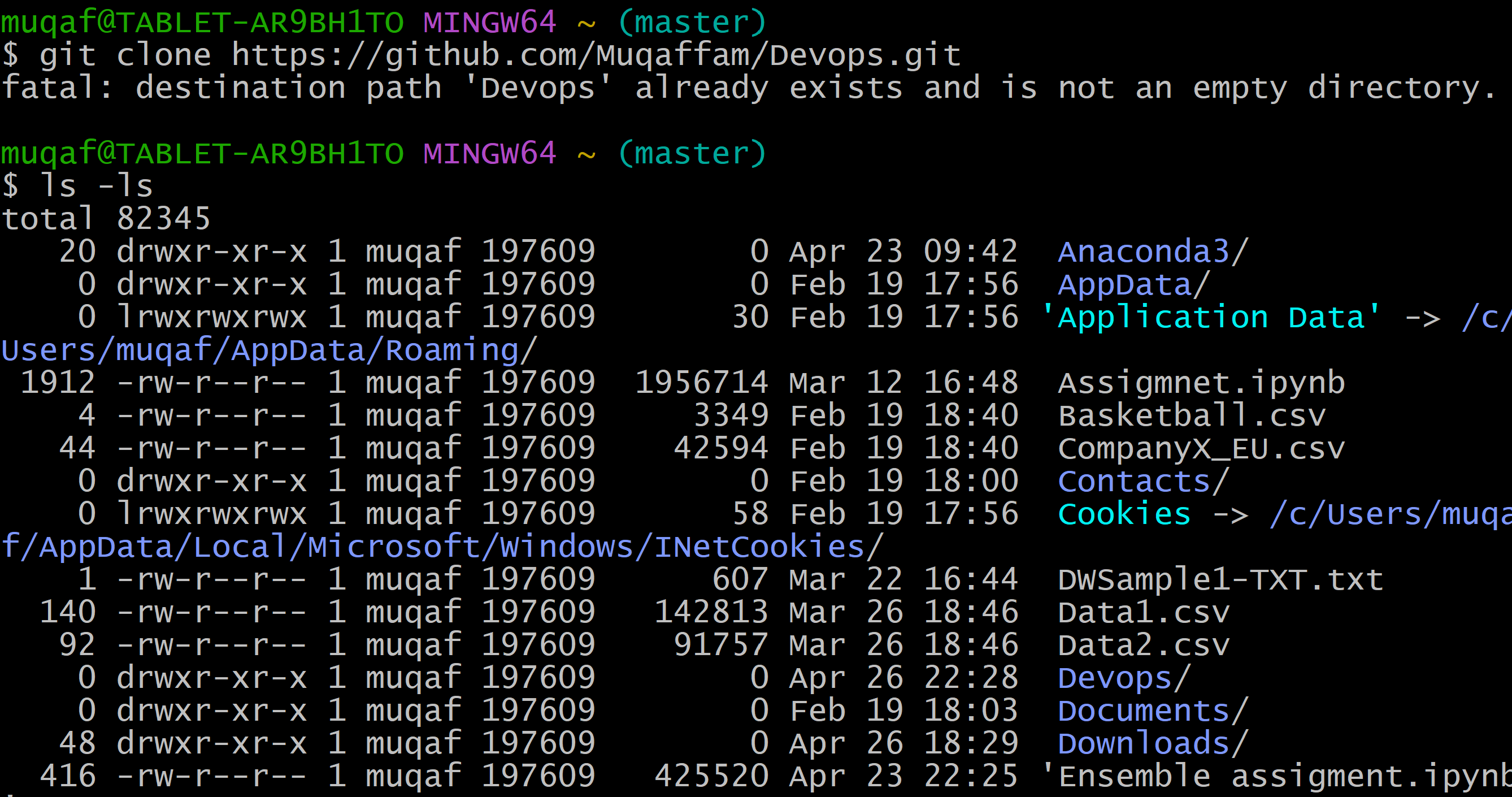
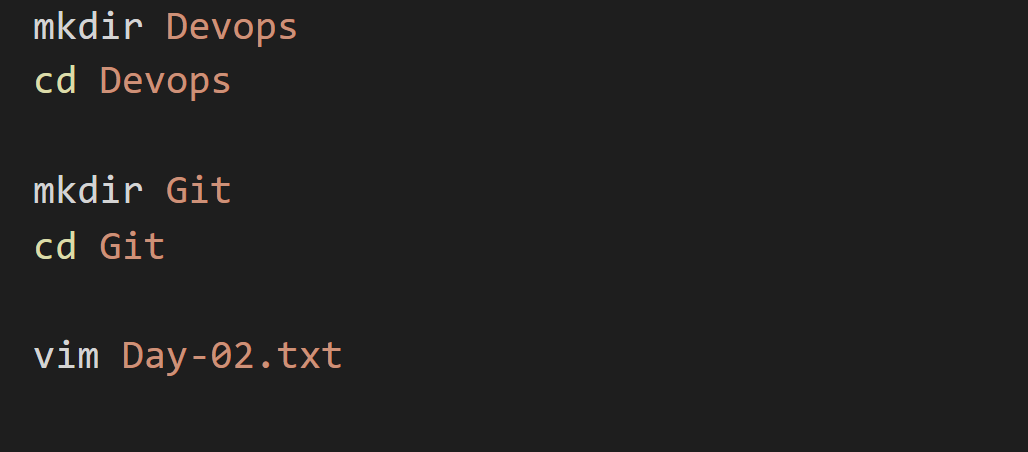
Create a file in Devops:
Creating a folder Devops and Git and finally making a new file in it.

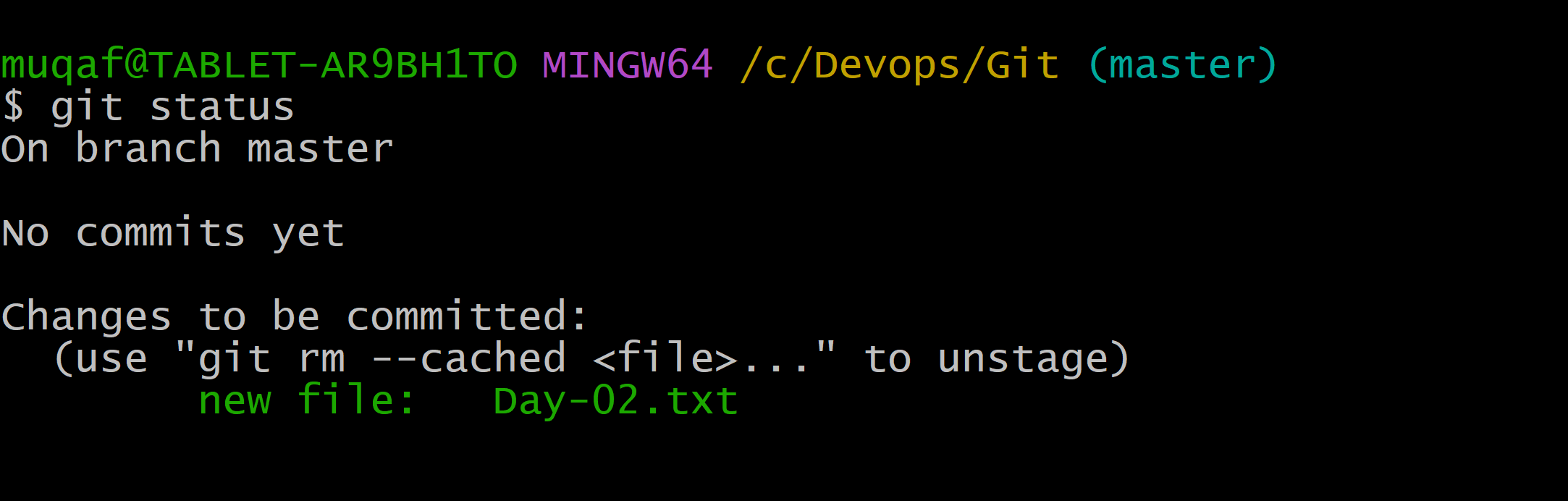
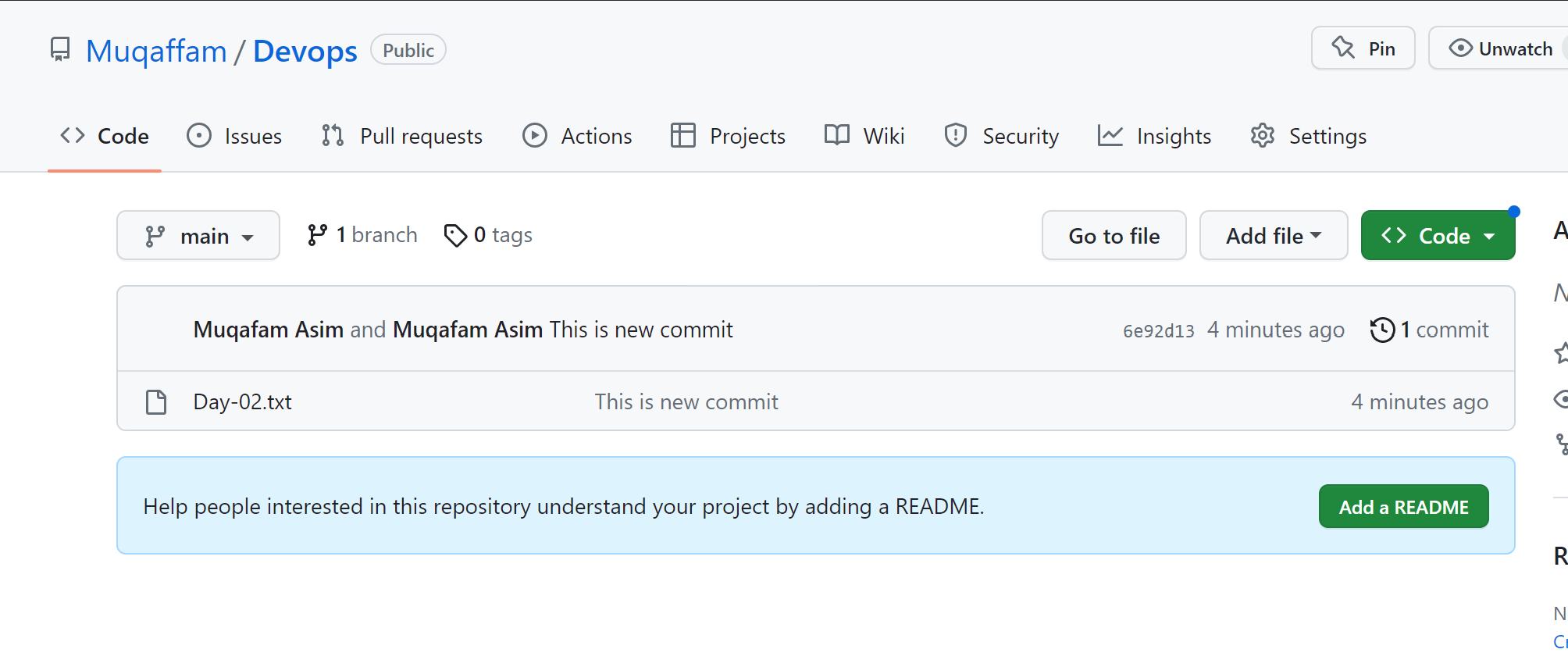
Push your local commits to the repository on GitHub
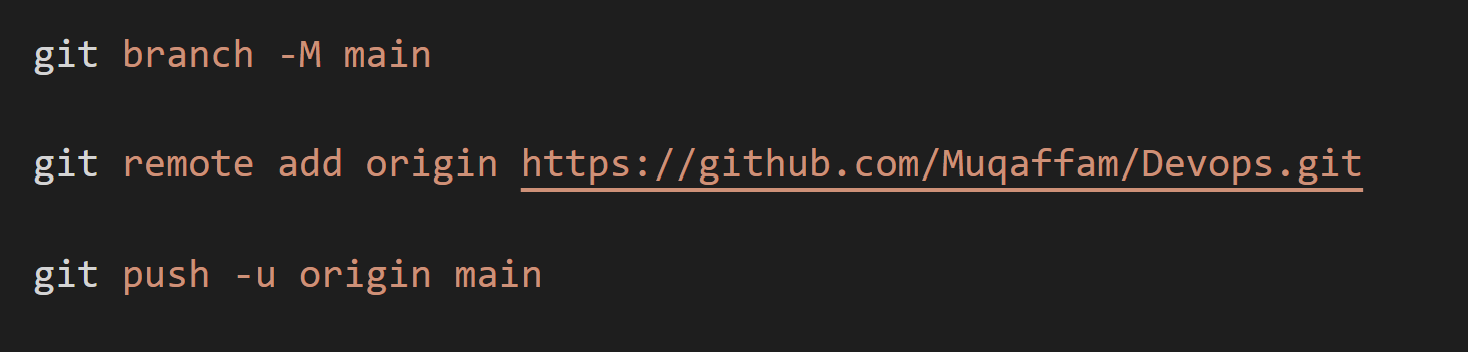
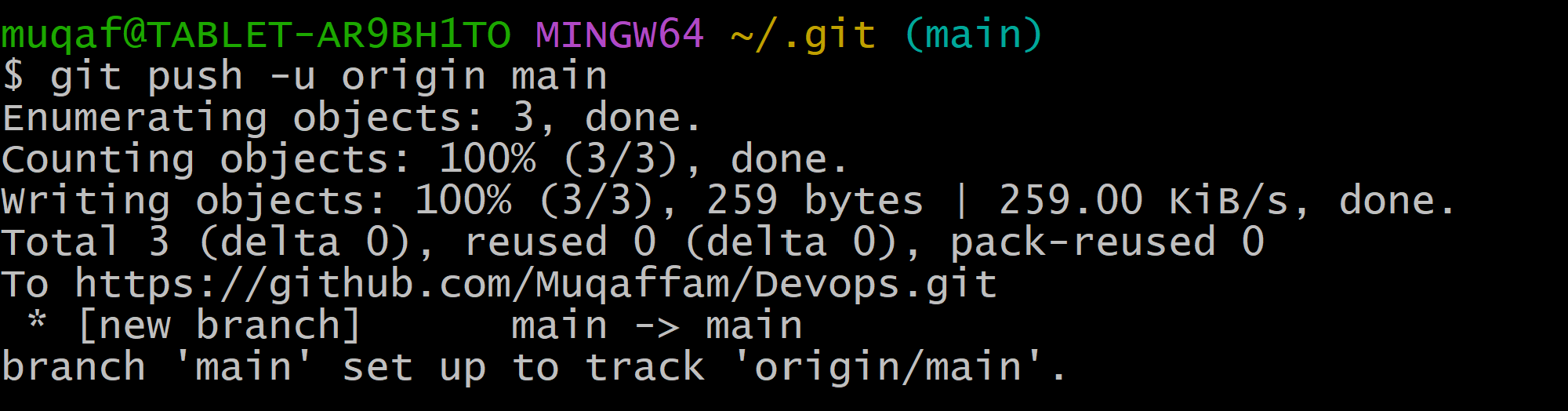
It will ask you for the personal access token In Github, you need to generate the token and give in GIT.
Regards,
Mohammed Muqafamuddin.
Comments
Join the discussionNo comments yet. Be the first to comment.