Day 5 Task: Advanced Linux Shell Scripting for DevOps Engineers with User management
Example 1: When the script is executed as ./createDirectories.sh day 1 90
then it creates 90 directories as day1 day2 day3 .... day90
Step 1: Create a Directory name createDirectory.sh

Step 2: Write the algorithm for it
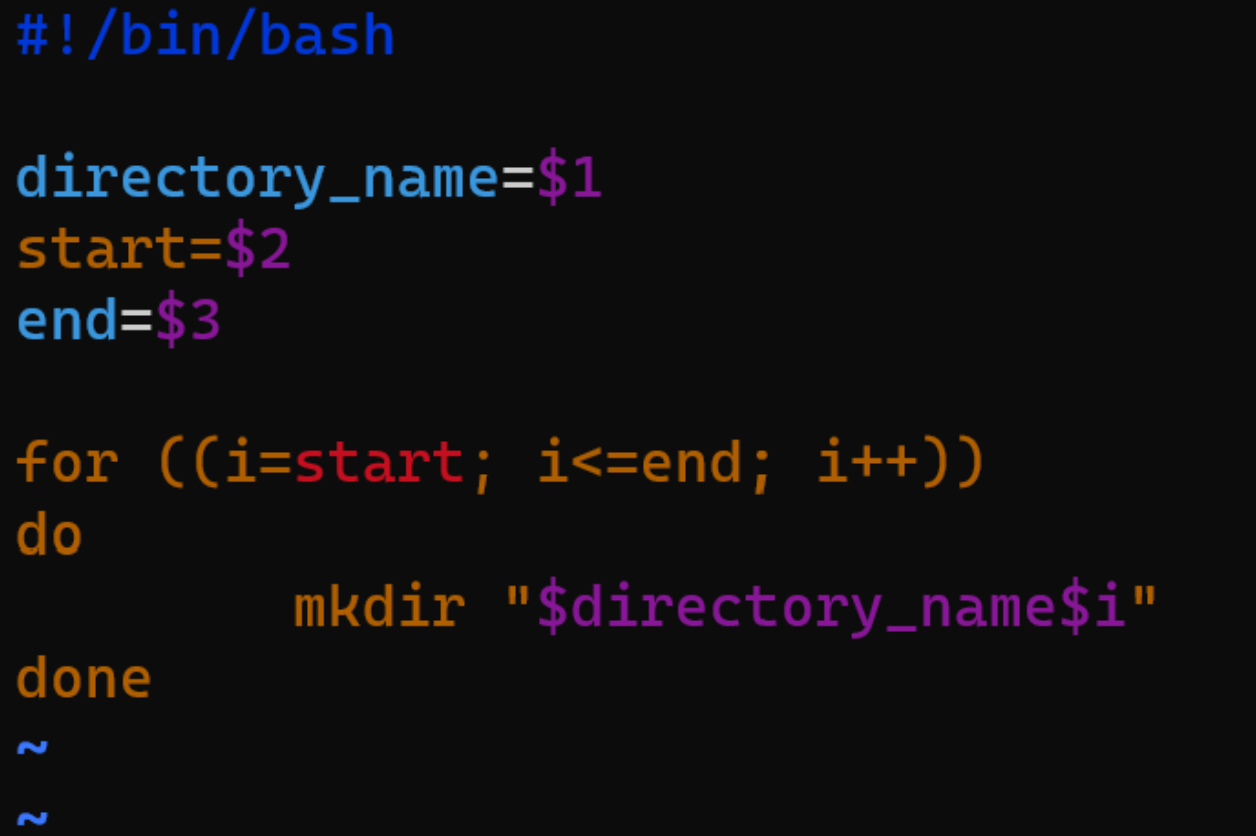
step 3: Giving the file permission

Step 4: Output

Example 2: When the script is executed as
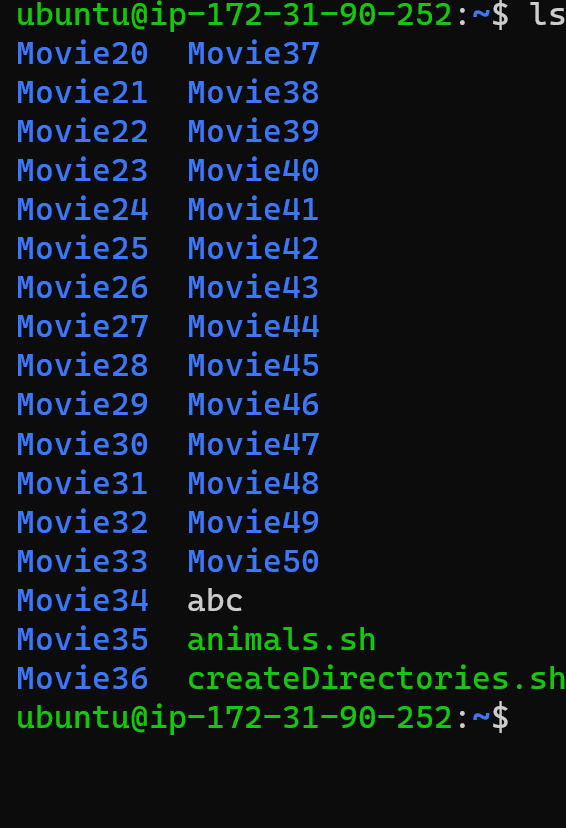
./createDirectories.sh Movie 20 50 then it creates 50 directories as Movie20 Movie21 Movie23 ...Movie50
Same steps as for Example 1: just we are giving the input to the user in a different way

Example 3: Create a Script to back up all your work done till now.
Step 1 : Create a file with the name backup.sh

Step 2: Write the algorithm for backup
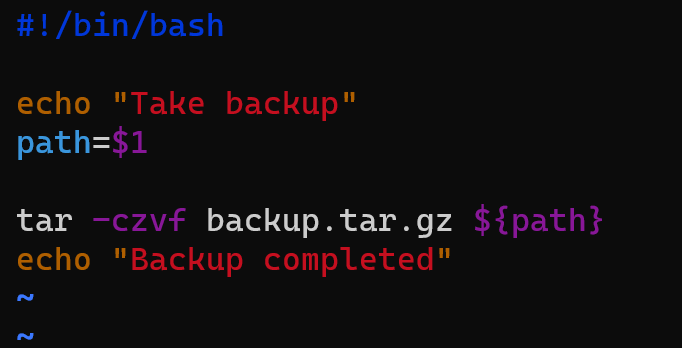
Step 3: give permissions

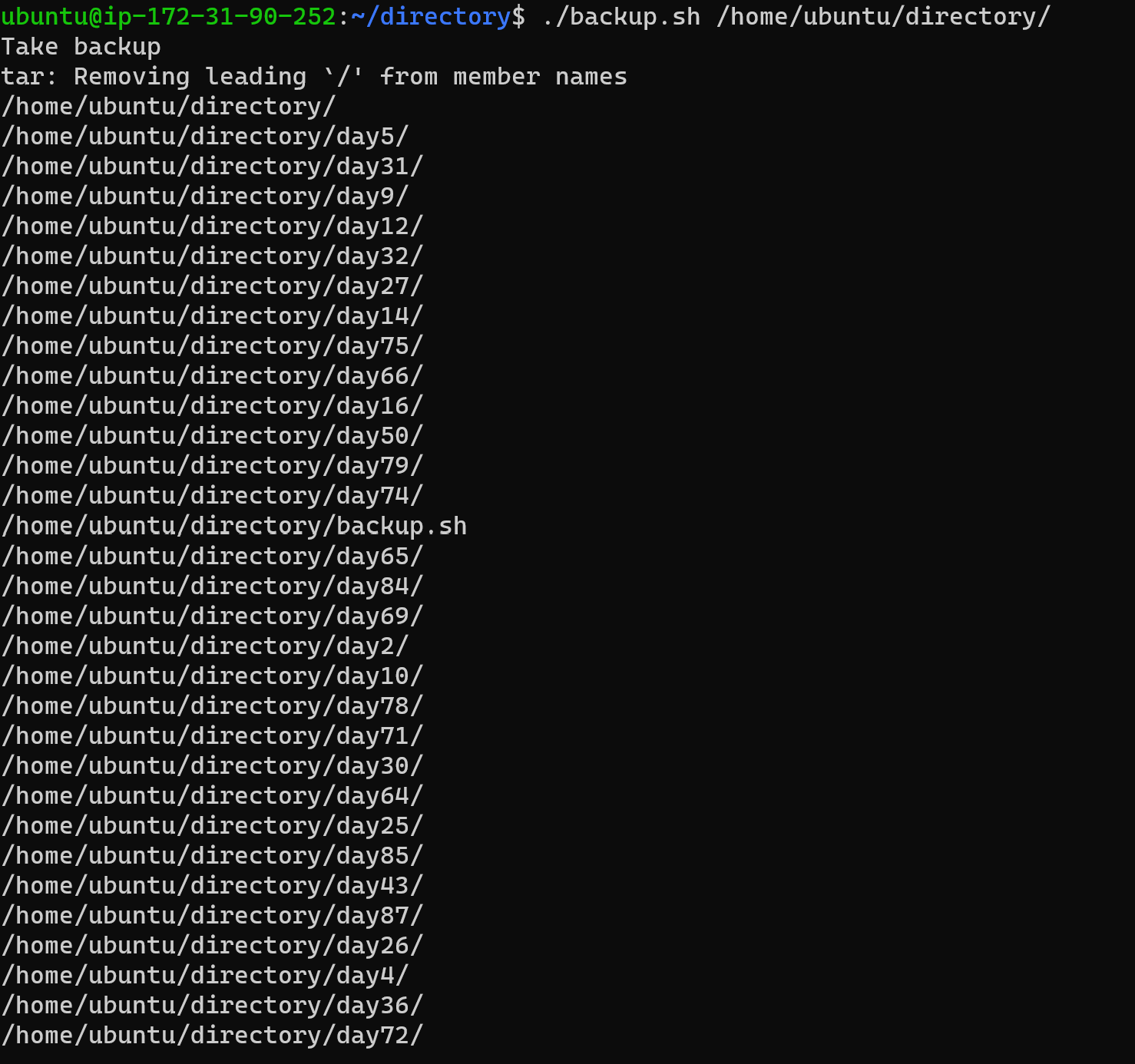
Step 4: Output of the algorithm
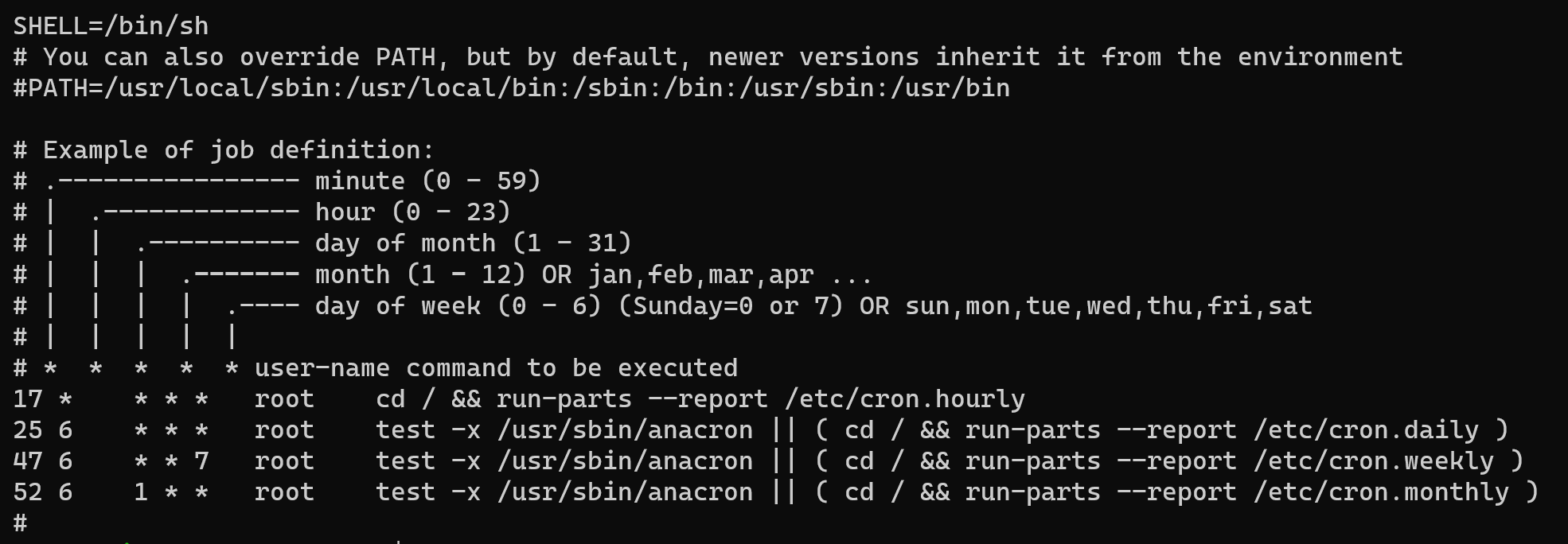
Example 4: Read About Cron and Crontab, to automate the backup Script
Cron is the system’s main scheduler for running jobs or tasks unattended. A command called crontab allows the user to submit, edit or delete entries to cron.
A crontab file is a user file that holds the scheduling information. You can use Crontab to run any of your scripts or one-liners every hour, or maybe just three days a week, it’s up to you.
Each user can have their crontab file if they wish, but on large systems root usually disallows this and just uses one main crontab file for the whole system.
Example 5: Read about User Management
A user is an entity, in a Linux operating system, that can manipulate files and perform several other operations.
Each user is assigned an ID that is unique for each user in the operating system. In this post, we will learn about users and commands which are used to get information about the users.
After installation of the operating system, the ID 0 is assigned to the root user and the IDs 1 to 999 (both inclusive) are assigned to the system users hence the ids for local user begins from 1000 onwards.
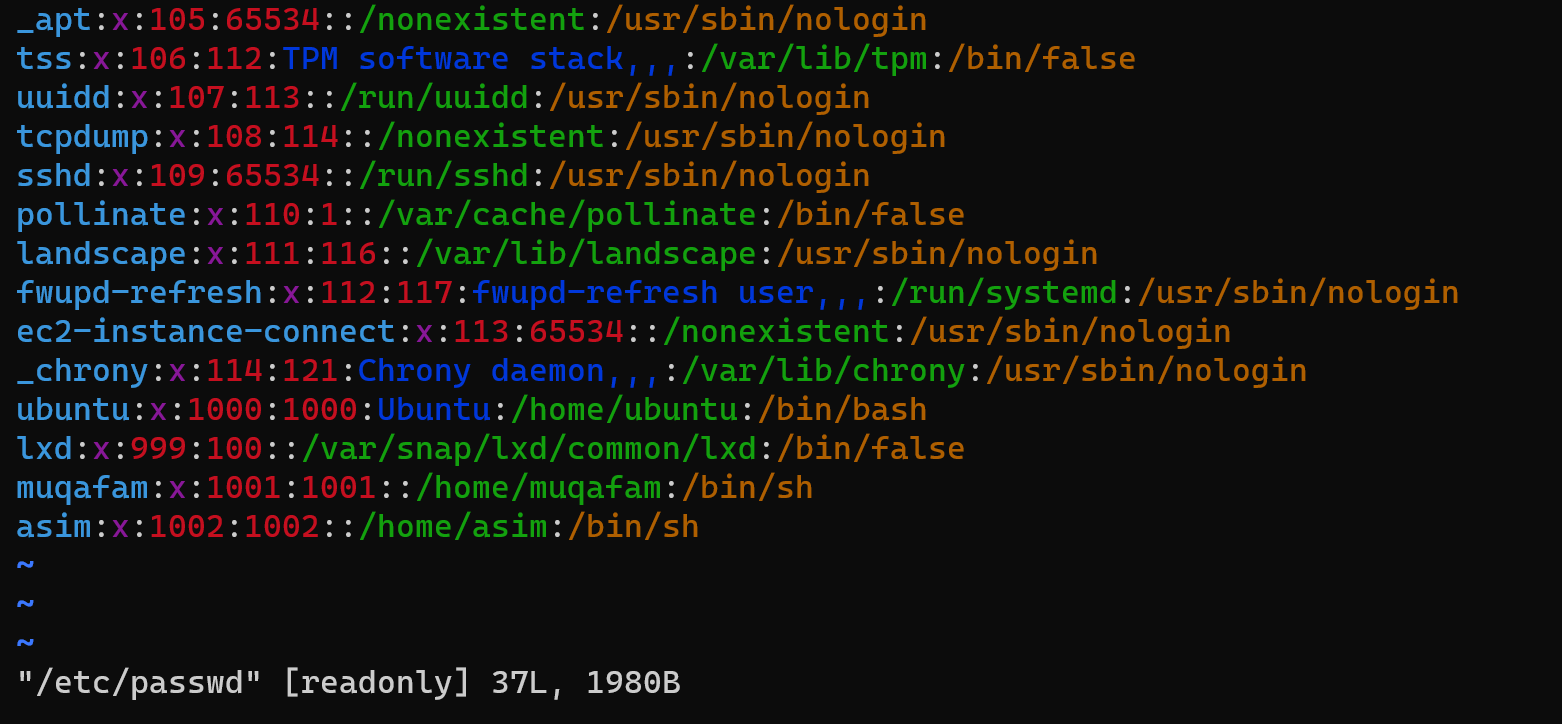
Example 6: Create 2 users and just display their Usernames
To create the user you need to

check the two lines of codes it shows the user output
Comments
Join the discussionNo comments yet. Be the first to comment.