Day 43: S3 Programmatic access with AWS-CLI 💻 📁
S3

Amazon Simple Storage Service (Amazon S3) is an object storage service that provides a secure and scalable way to store and access data on the cloud. It is designed for storing any kind of data, such as text files, images, videos, backups, and more. Read more here
Task-01
Launch an EC2 instance using the AWS Management Console and connect to it using Secure Shell (SSH).
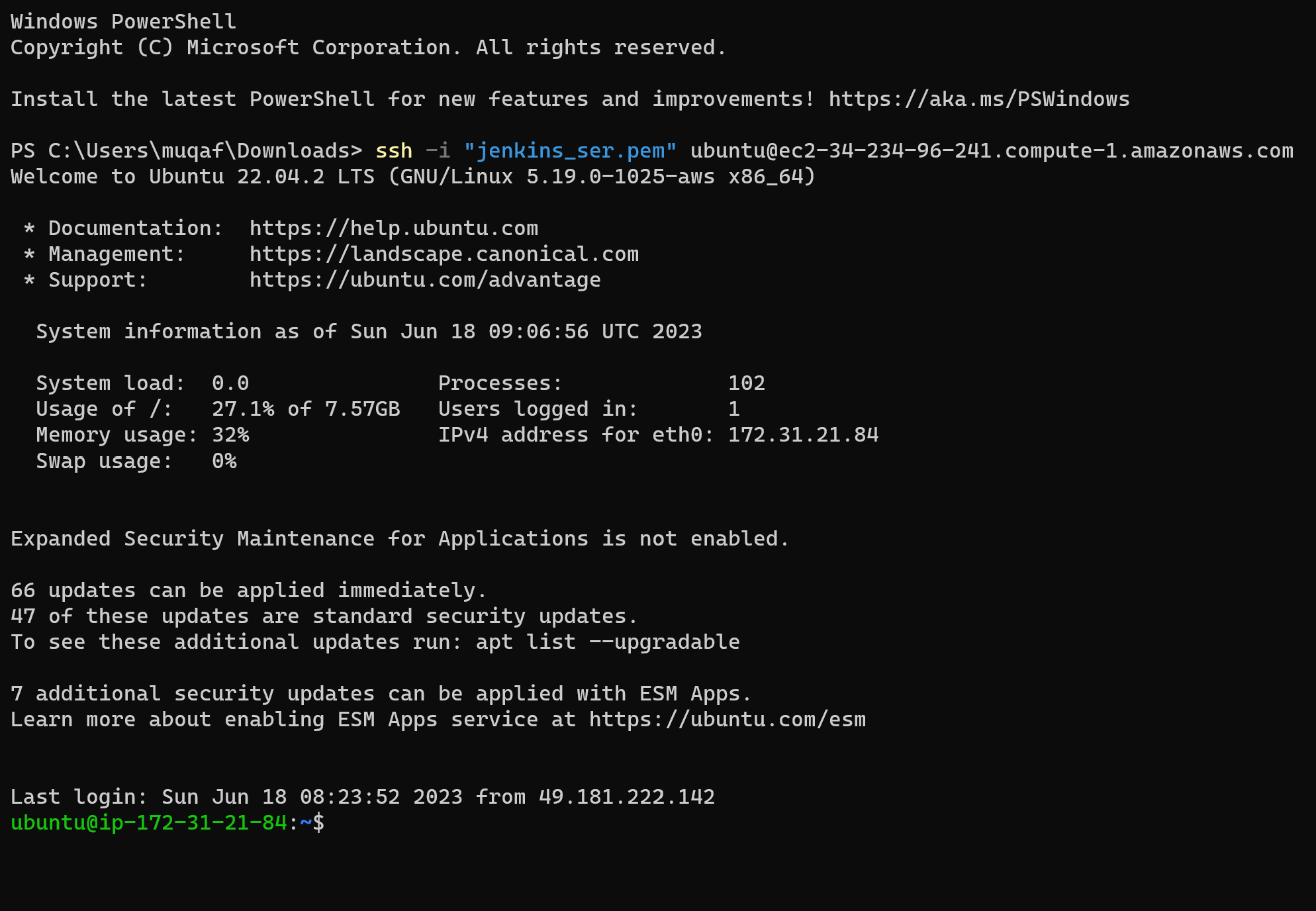
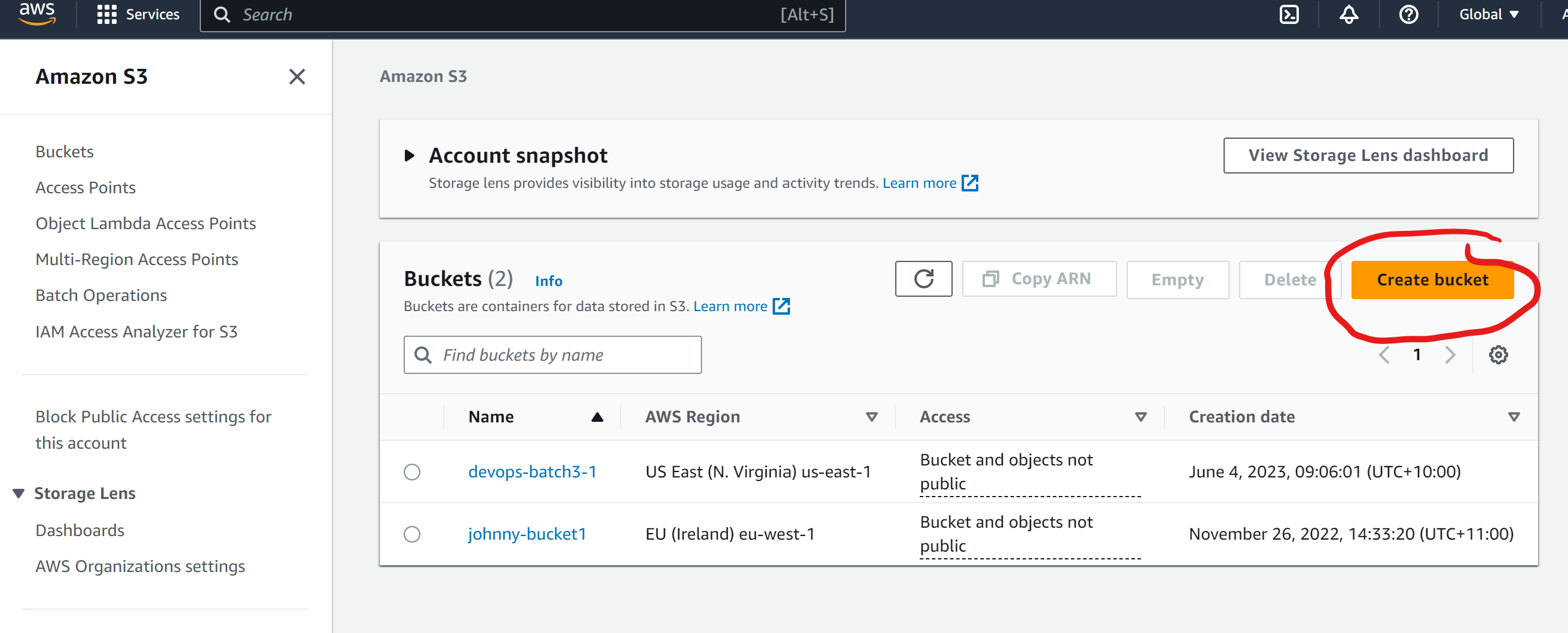
Create an S3 bucket and upload a file to it using the AWS Management Console.
Go to console of the S3 then click on S3.
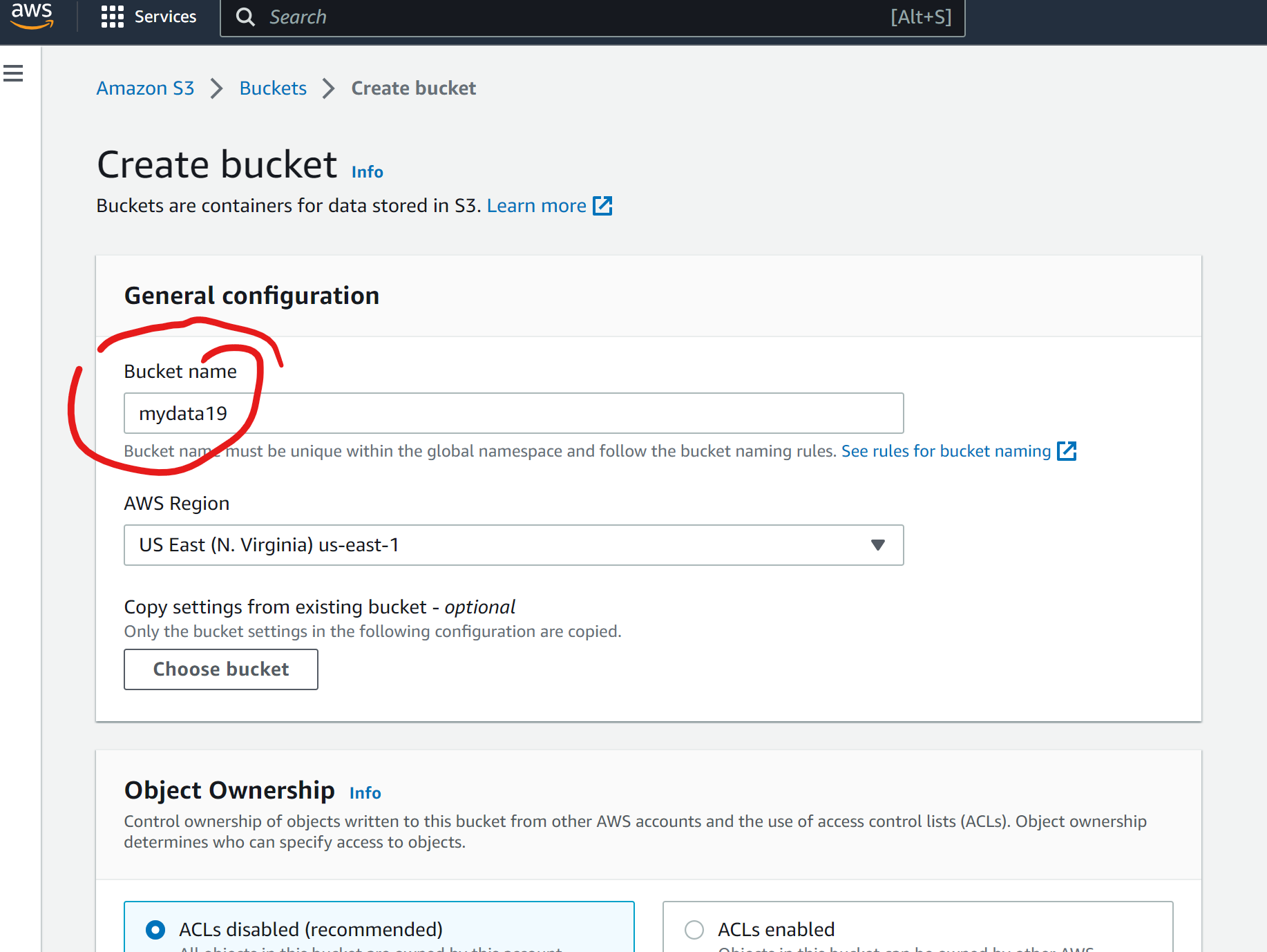
Then u ned to give the details like bucket name and region
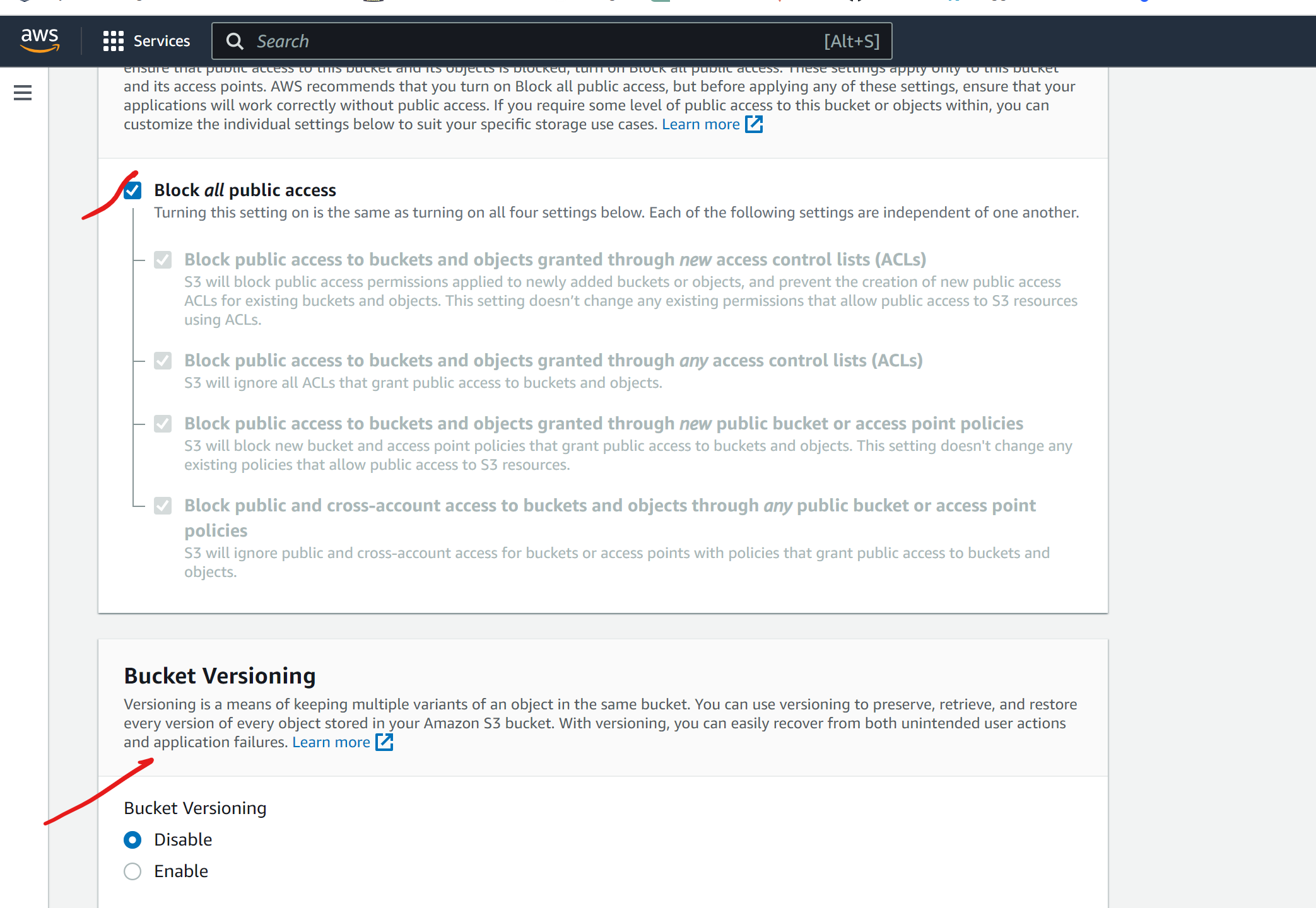
Give the bucket versioning and then click on create on bucket
You can see in the list thee will be bucket
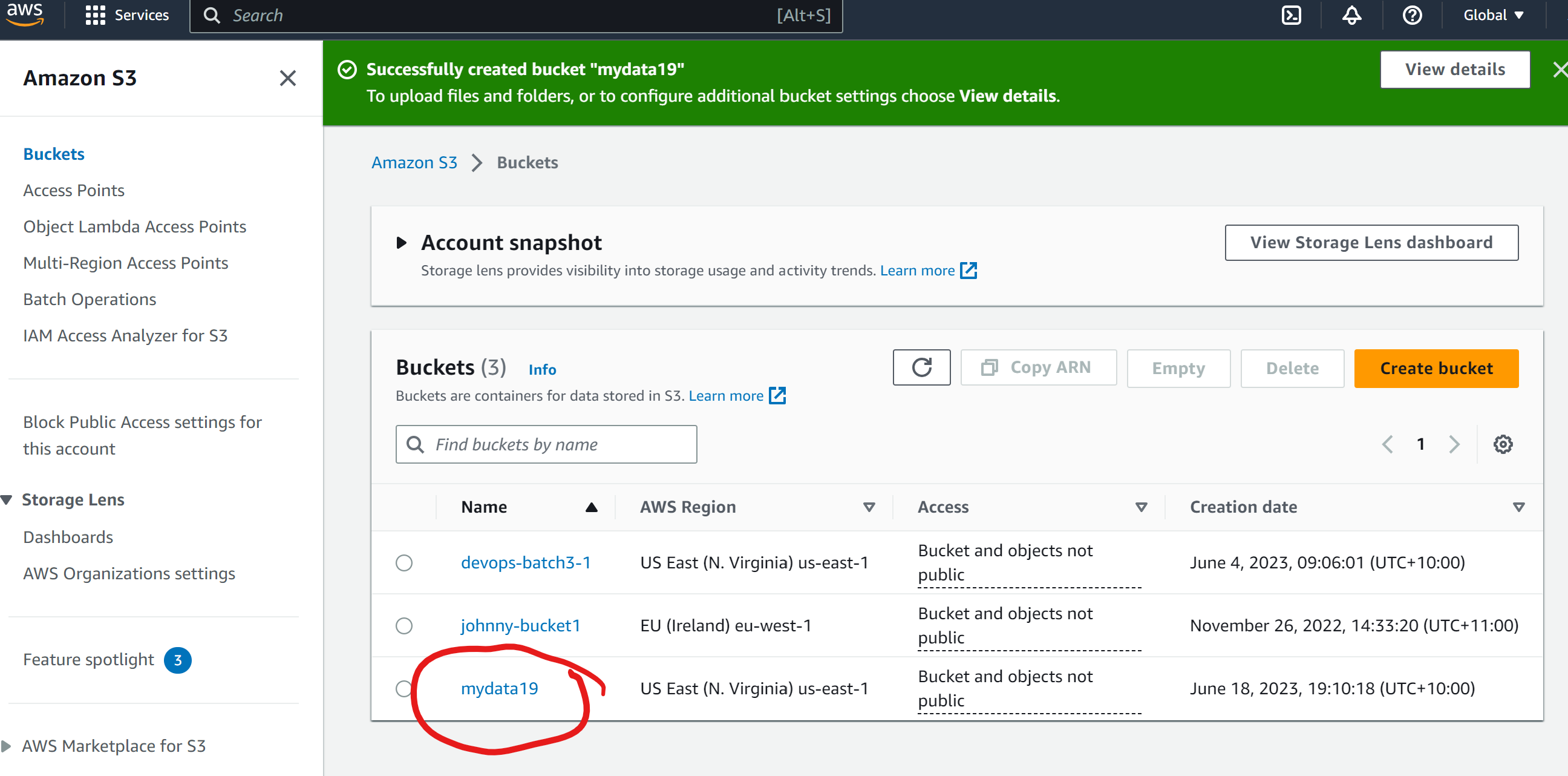
Now, you can upload the files click on the upload
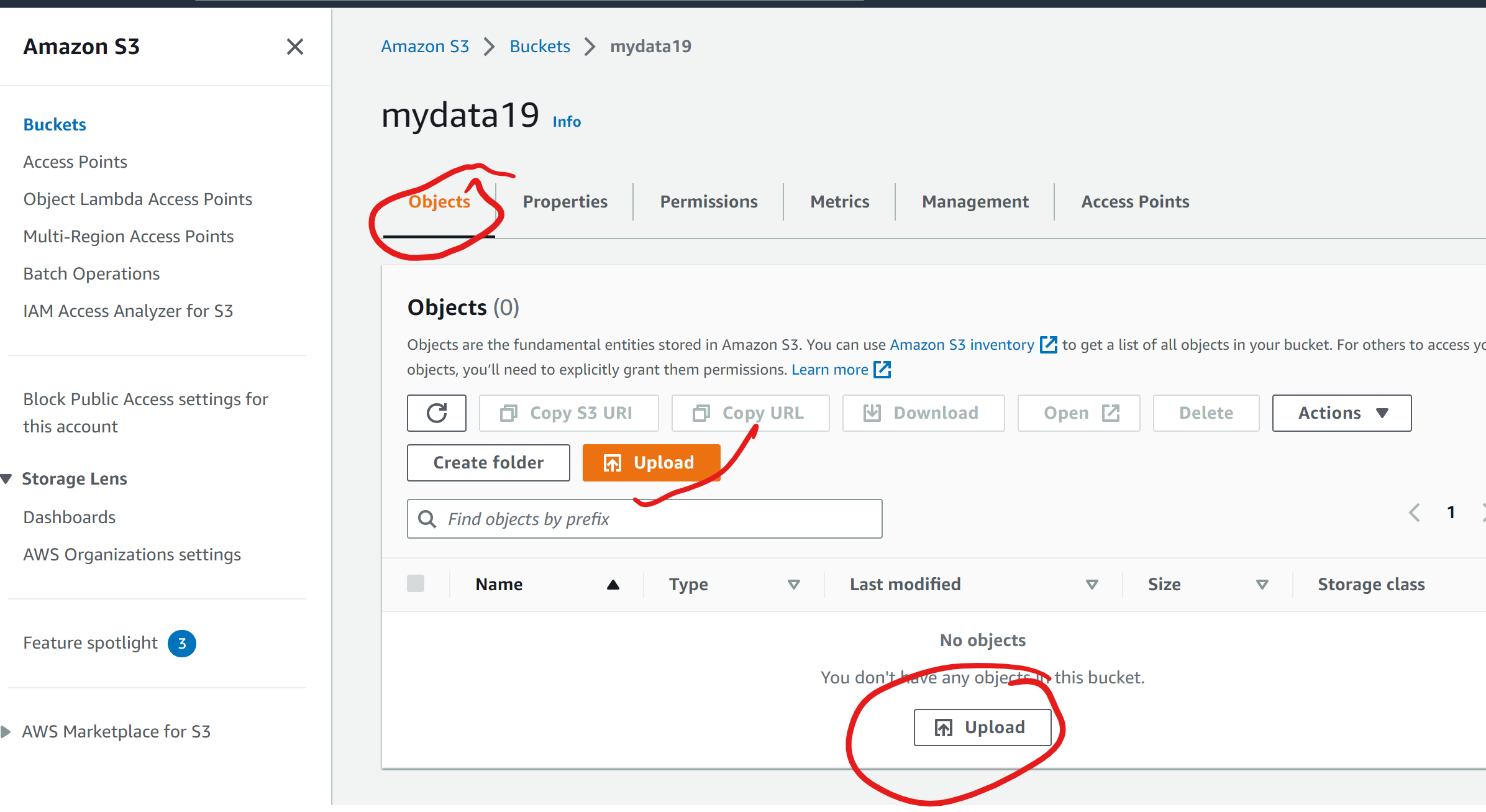
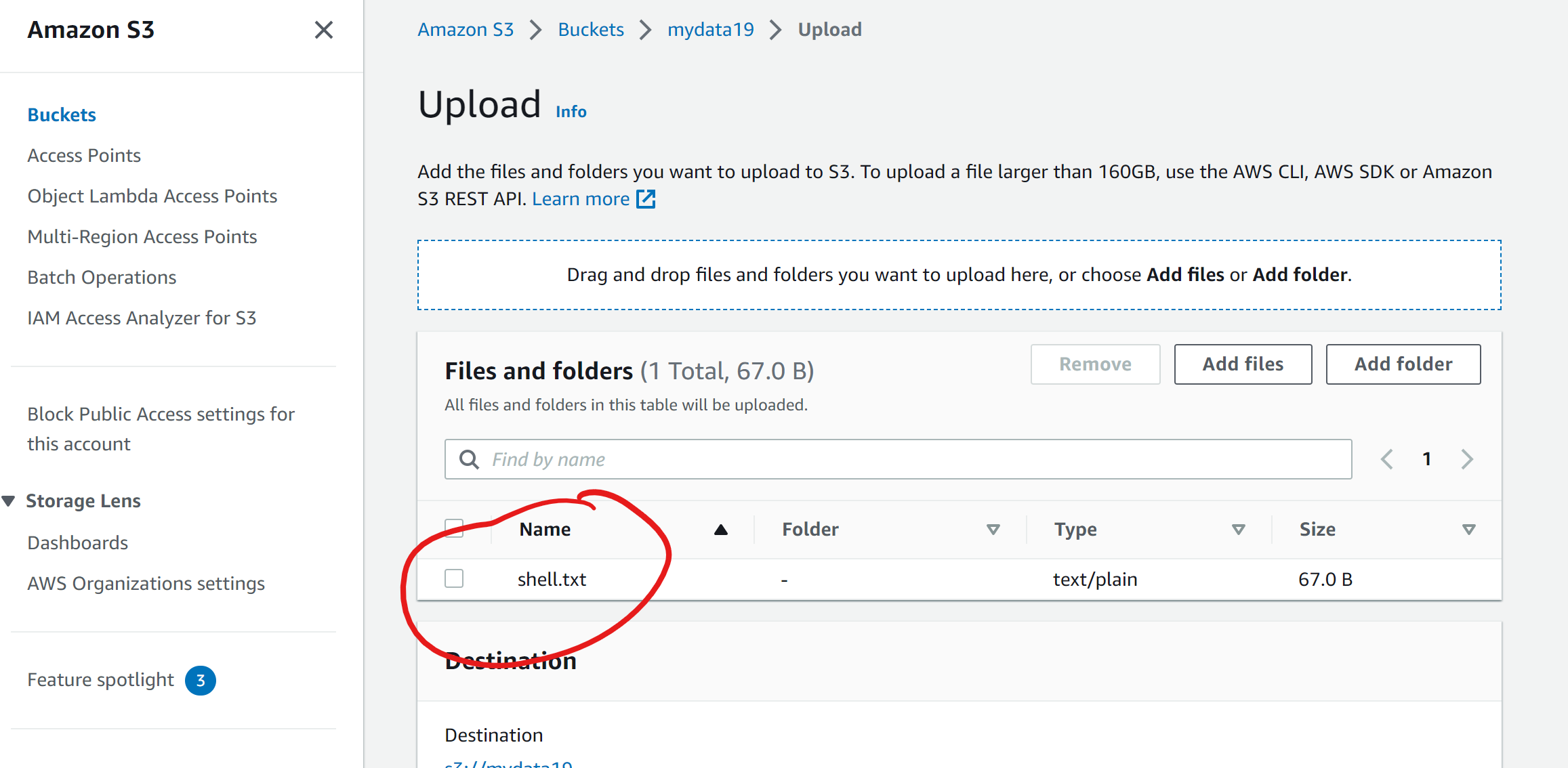
After uploading you can see the file present in the bucket
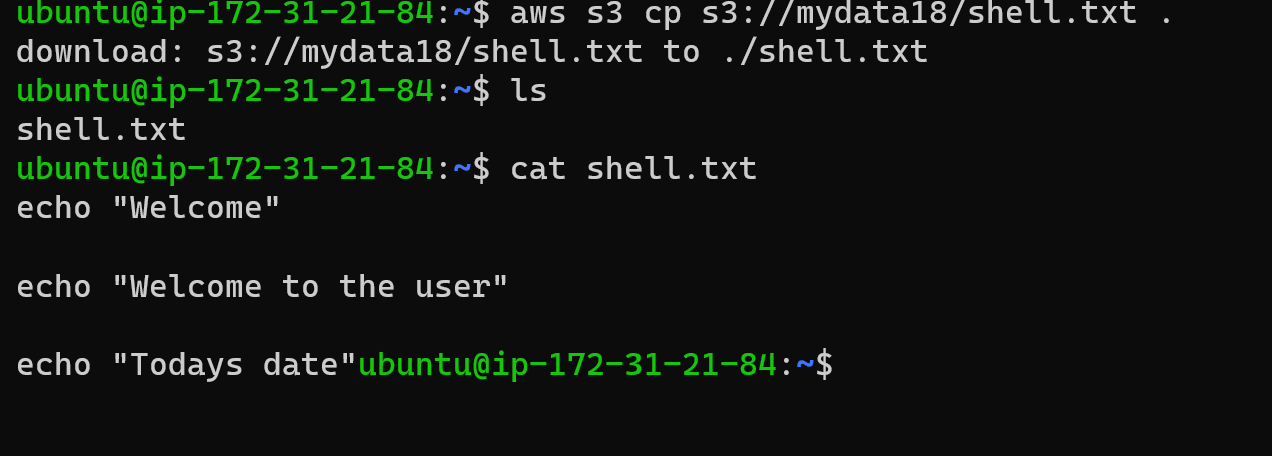
Access the file from the EC2 instance using the AWS Command Line Interface (AWS CLI).
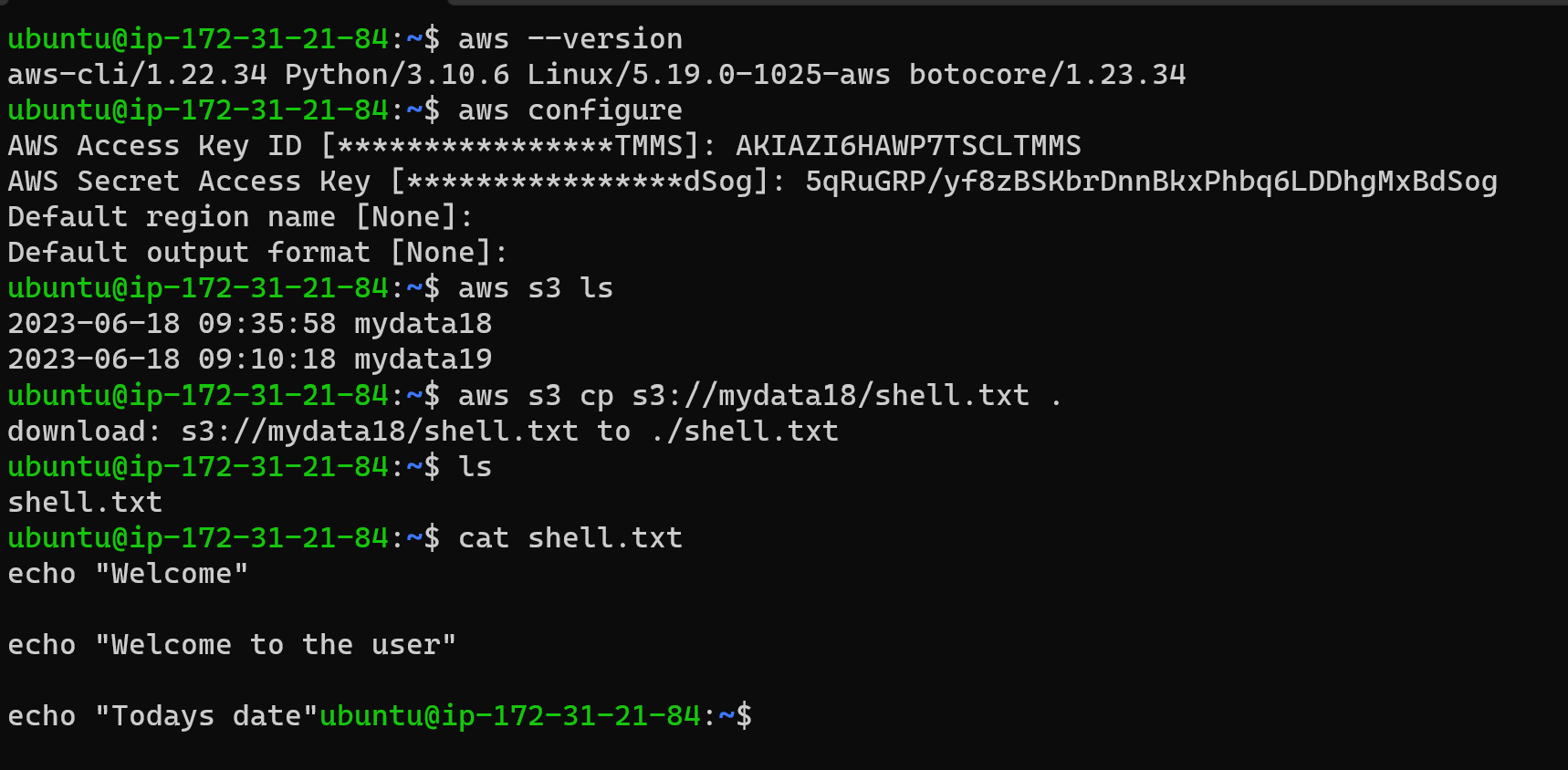
Download a file from the s3 bucket using the AWS CLI
Task-02
Create a snapshot of the EC2 instance and use it to launch a new EC2 instance.
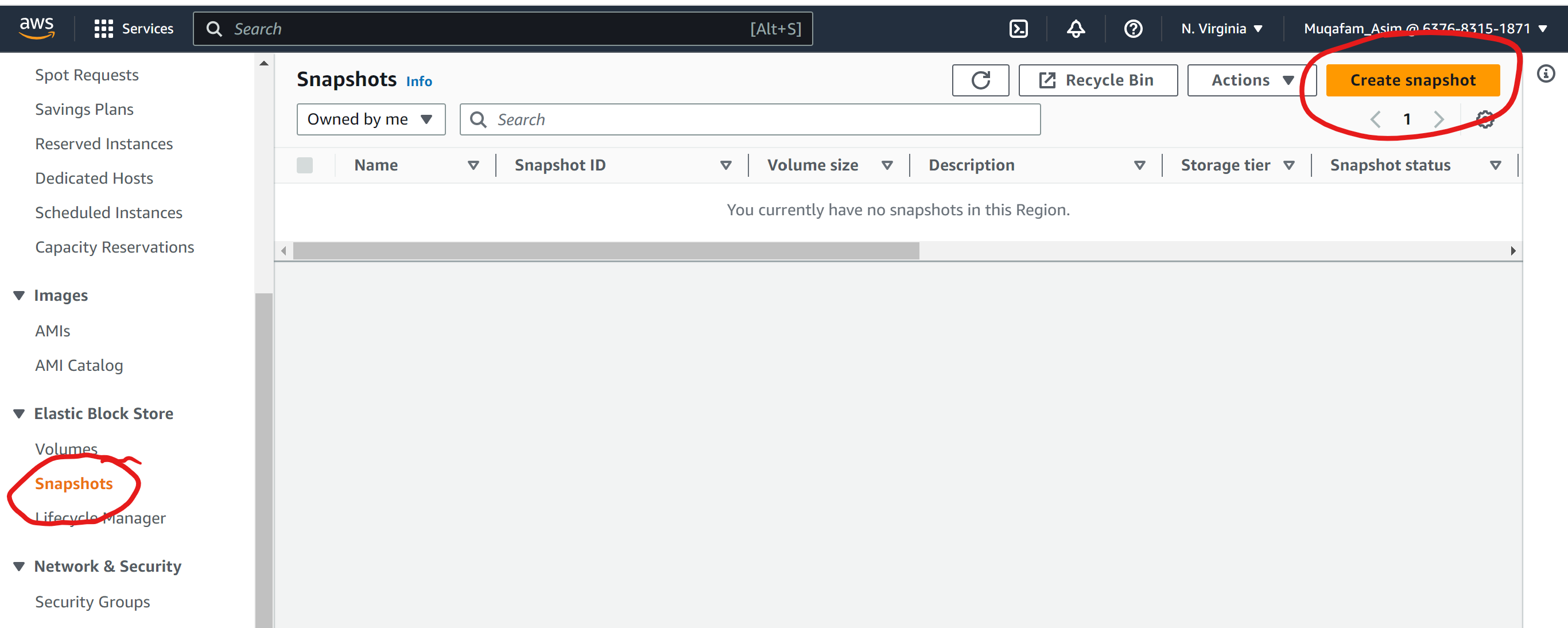
Select the instance and give the instance id
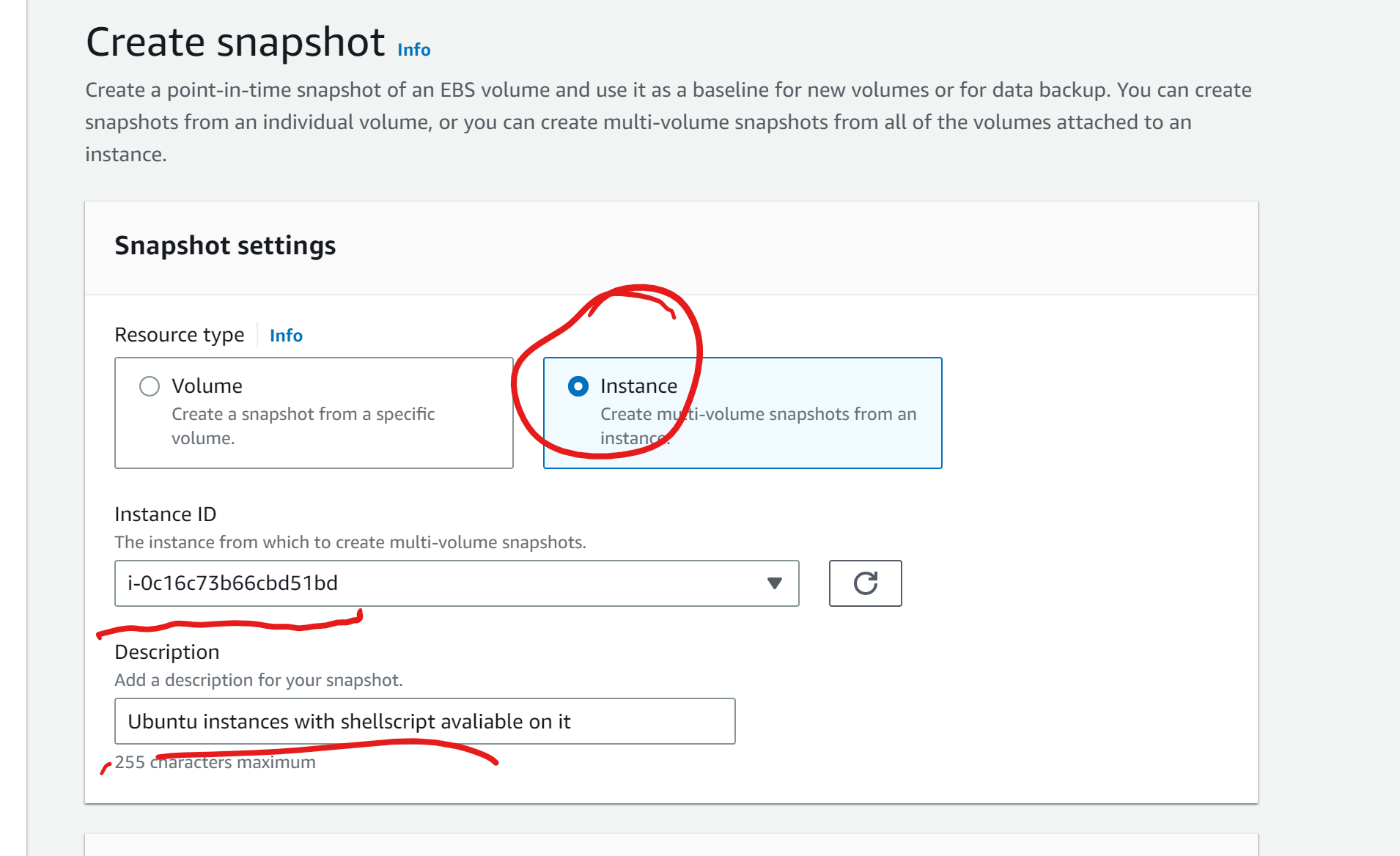
Click on the copy tags and then click on create target
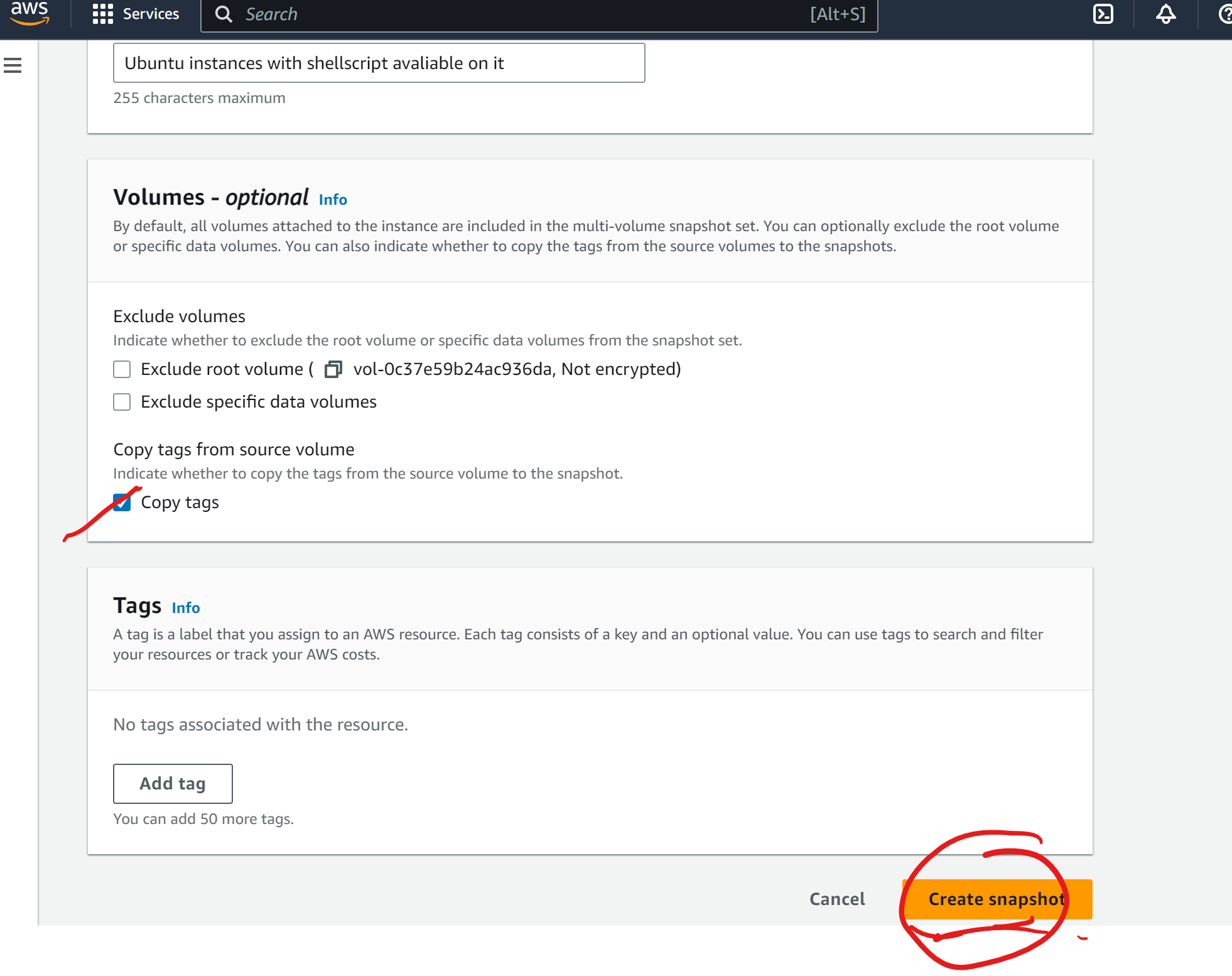
You can see the snapshot is created.
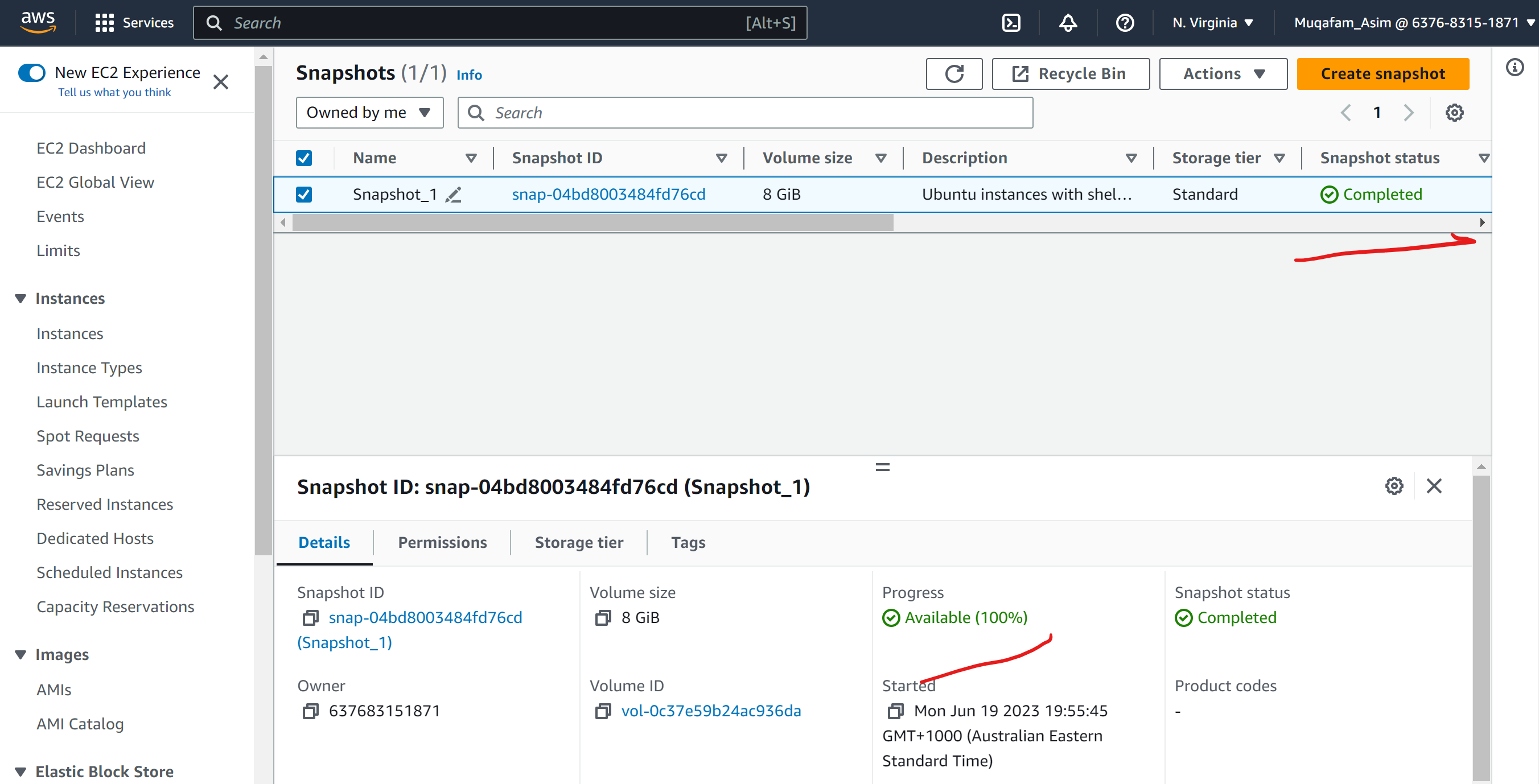
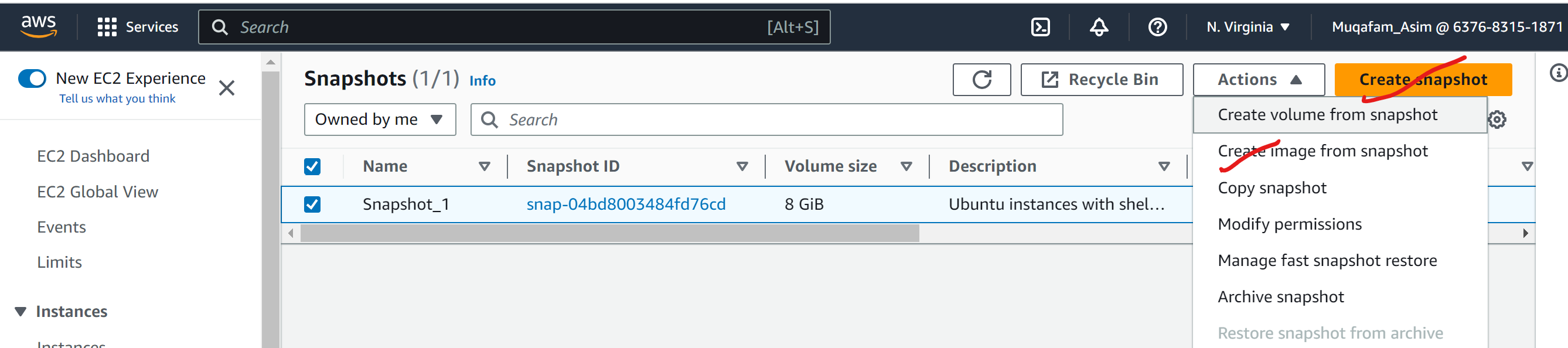
Click on create snapshot and then click on create image from snapshot
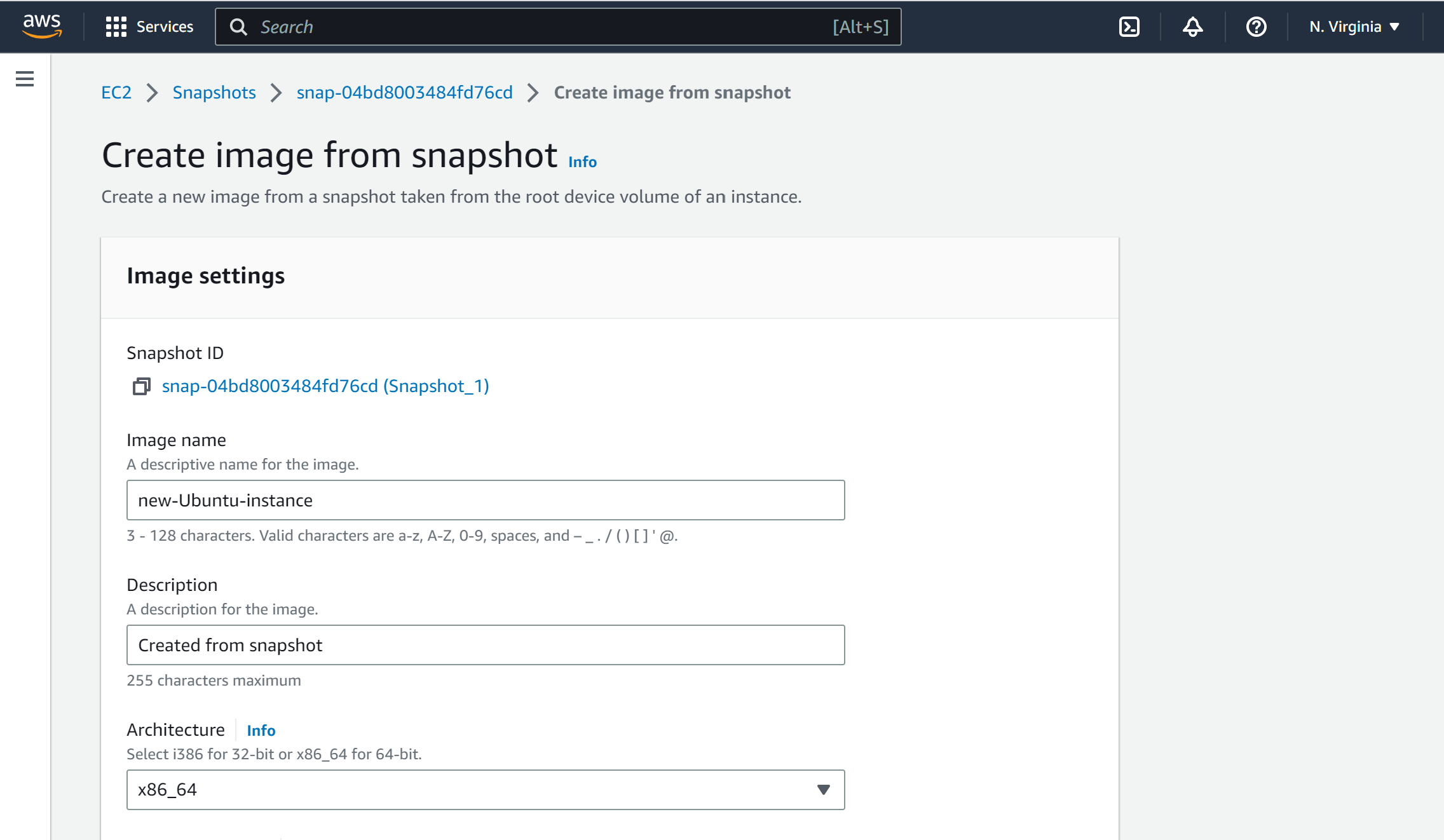
give the image and description.
Click on the Create image
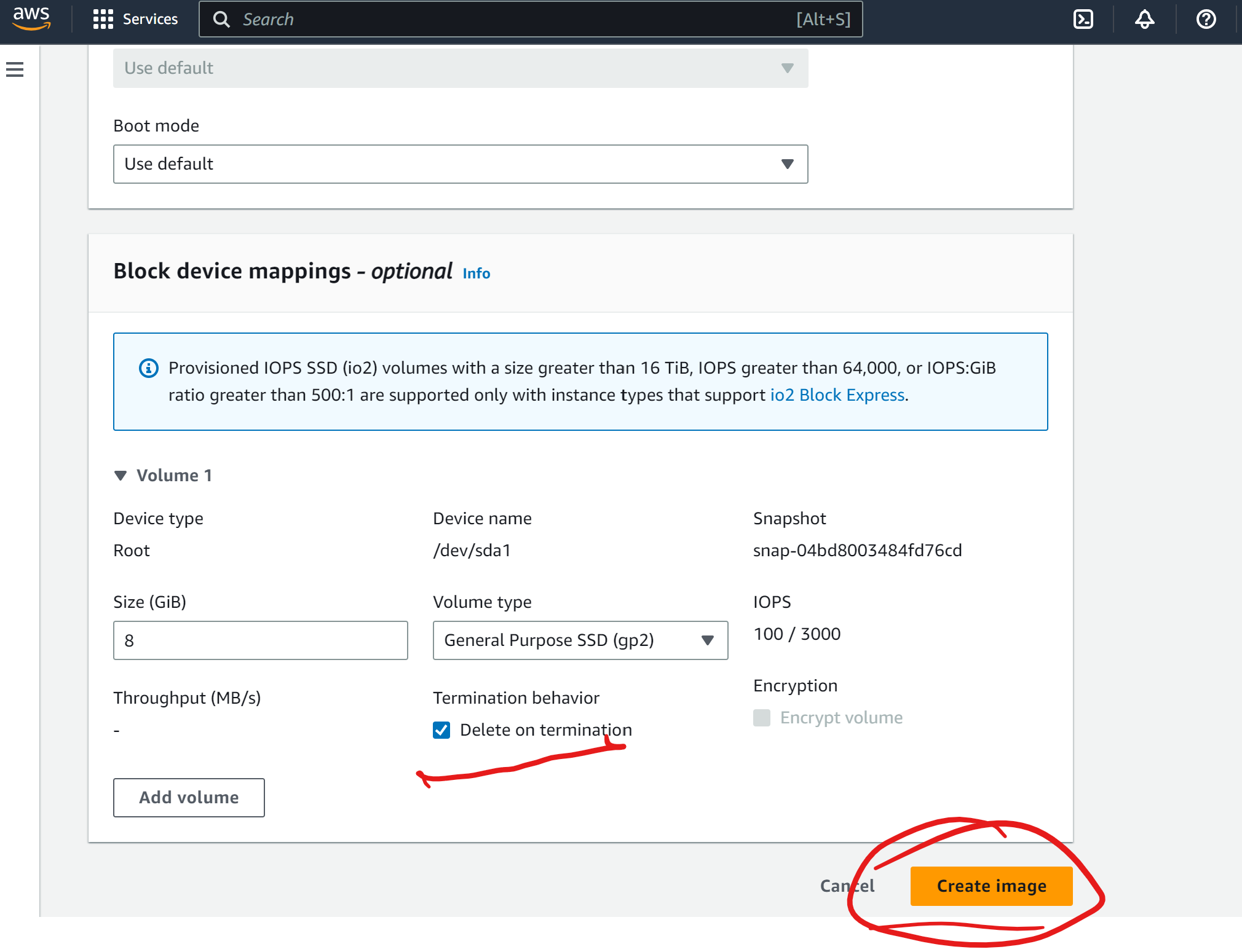
There will be snapshot will be created as you can see
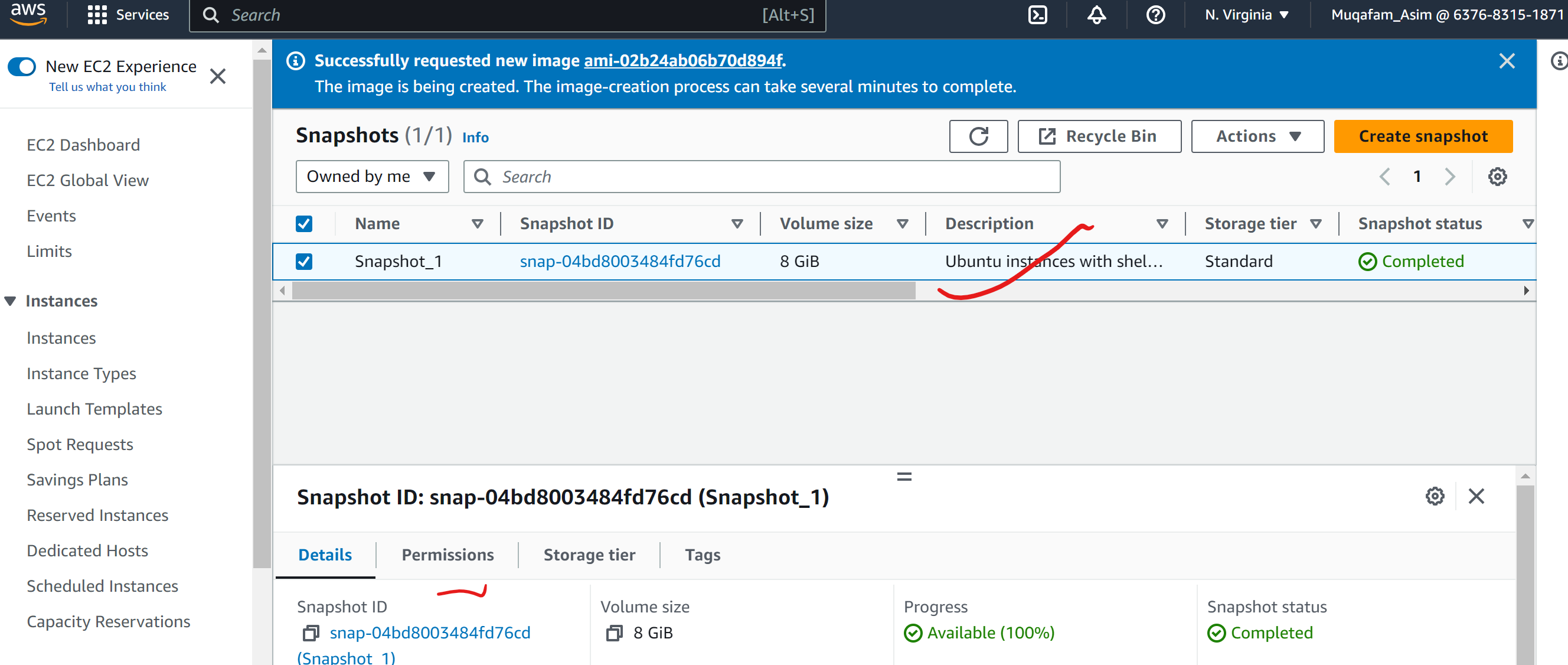
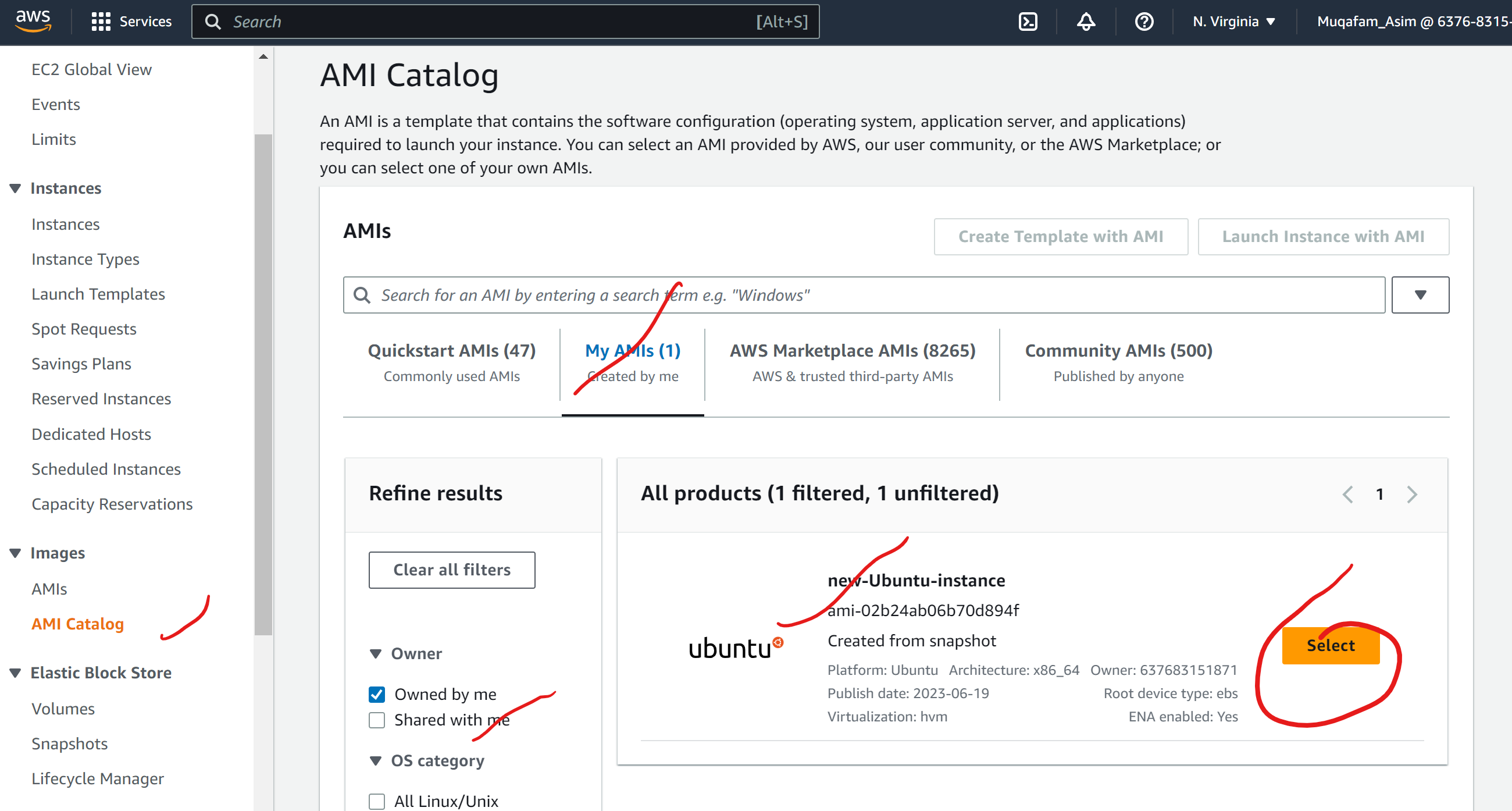
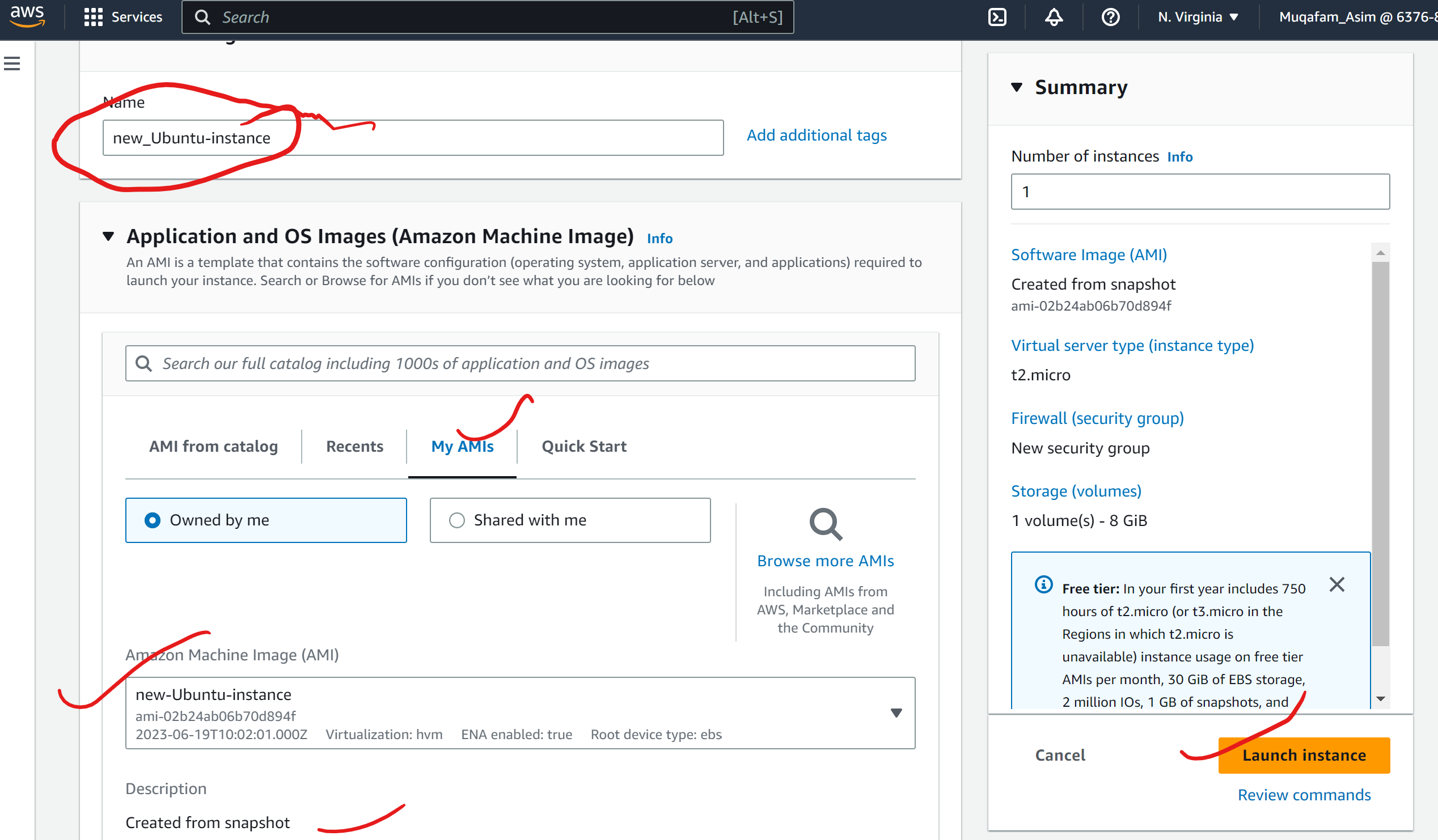
You can see the instances is created
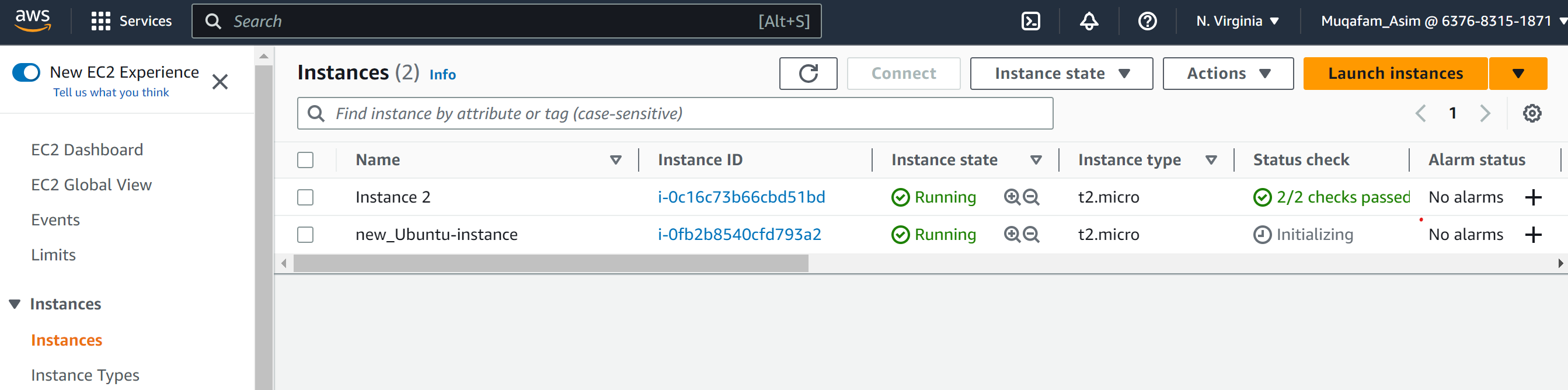
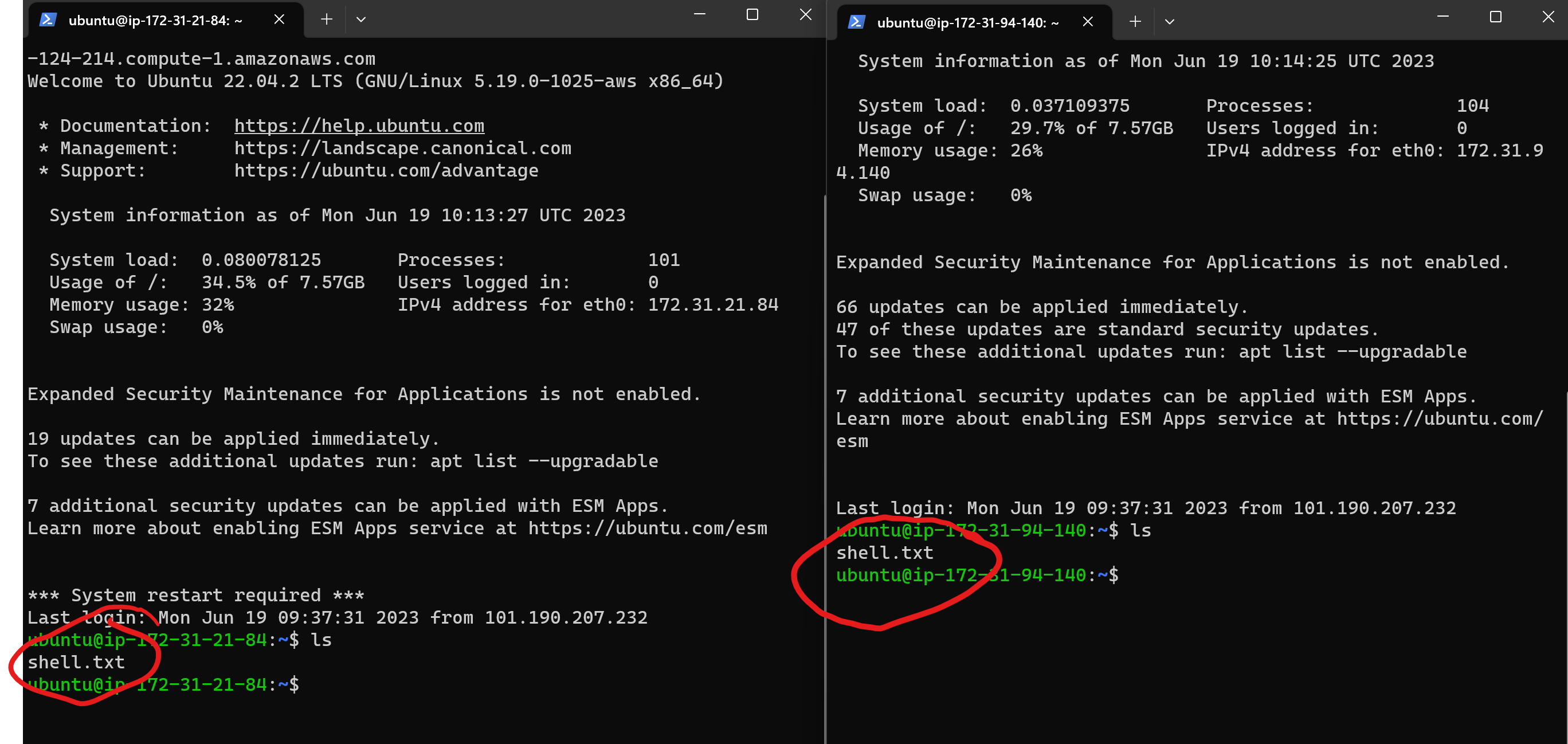
verify that the file from the s3 bucket is available inside our newly created instance.
Verify that the contents of the file are the same on both EC2 instances.
Added Some Useful commands to complete the task. Click here for commands
There are few commands which are there
Here are some commonly used AWS CLI commands for Amazon S3:
aws s3 ls - This command lists all of the S3 buckets in your AWS account.
aws s3 mb s3://bucket-name - This command creates a new S3 bucket with the specified name.
aws s3 rb s3://bucket-name - This command deletes the specified S3 bucket.
aws s3 cp file.txt s3://bucket-name - This command uploads a file to an S3 bucket.
aws s3 cp s3://bucket-name/file.txt . - This command downloads a file from an S3 bucket to your local file system.
aws s3 sync local-folder s3://bucket-name - This command syncs the contents of a local folder with an S3 bucket.
aws s3 ls s3://bucket-name - This command lists the objects in an S3 bucket.
aws s3 rm s3://bucket-name/file.txt - This command deletes an object from an S3 bucket.
aws s3 presign s3://bucket-name/file.txt - This command generates a pre-signed URL for an S3 object, which can be used to grant temporary access to the object.
aws s3api list-buckets - This command retrieves a list of all S3 buckets in your AWS account, using the S3 API.
Let me know if you have any questions or face any issues while doing the tasks.🚀
Happy Learning :)
Mohammed Muqafamuddin.
Comments
Join the discussionNo comments yet. Be the first to comment.