Day 38: Getting started with Aws Basics

AWS:
Amazon Web Services is one of the most popular Cloud Provider that has free tier too for students and Cloud enthutiasts for their Handson while learning (Create your free account today to explore more on it).
Read from here
IAM:
AWS Identity and Access Management (IAM) is a web service that helps you securely control access to AWS resources. With IAM, you can centrally manage permissions that control which AWS resources users can access. You use IAM to control who is authenticated (signed in) and authorized (has permissions) to use resources. Read from here
Get to know IAM more deeply Click Here!!
Task1:
Create an IAM user with the username of your own wish and grant EC2 Access.
Search for the IAM in services then Click on IAM users
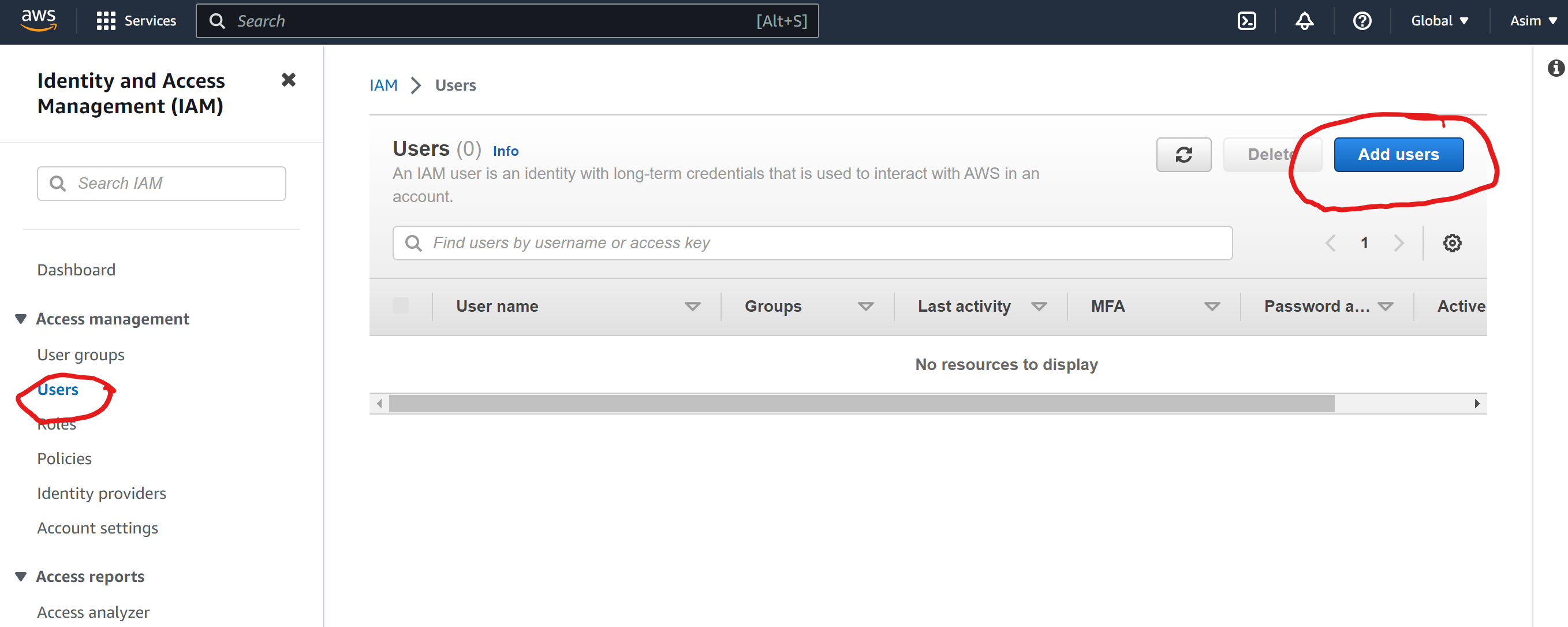
Now click on Add user and give details
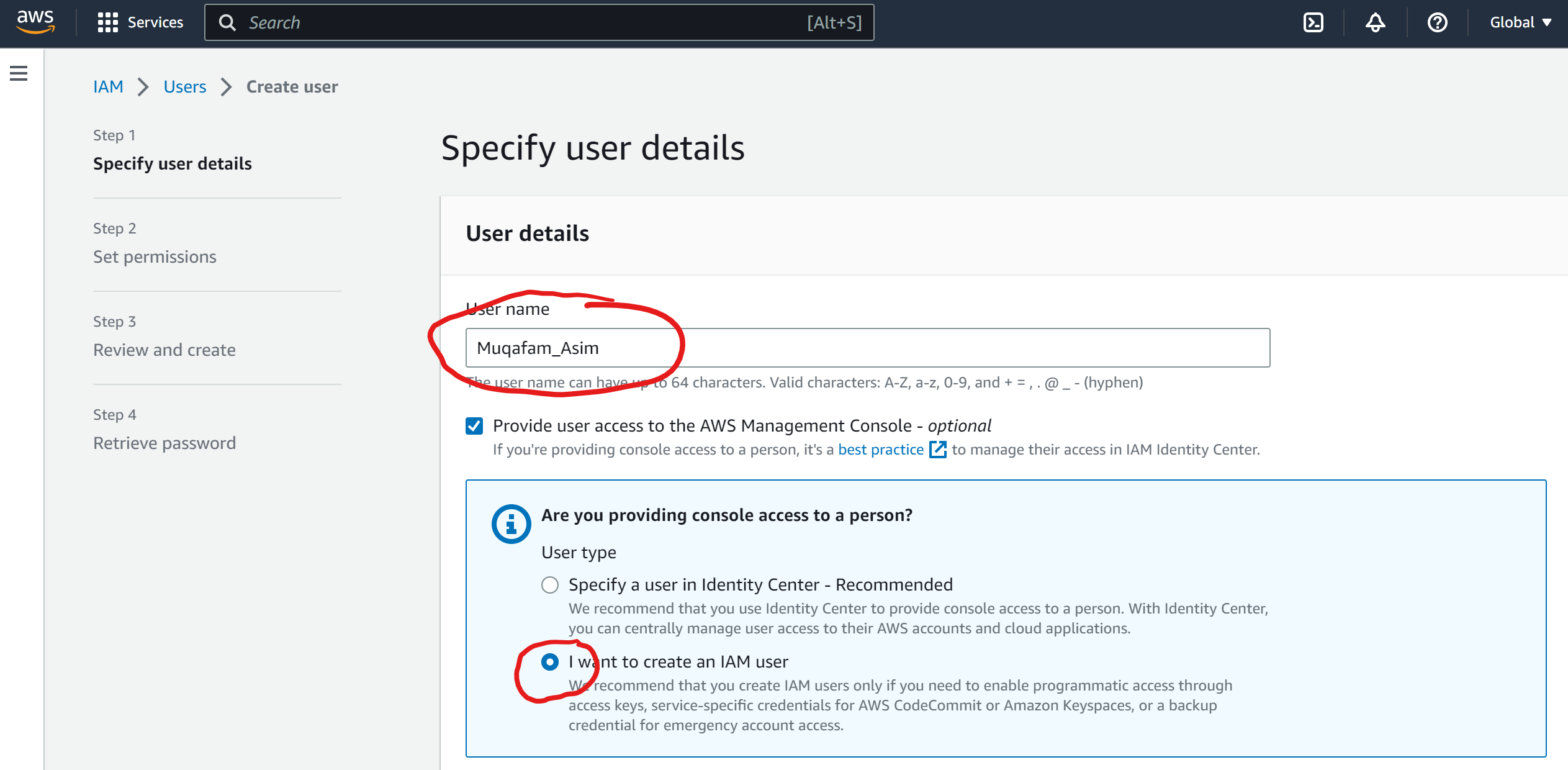
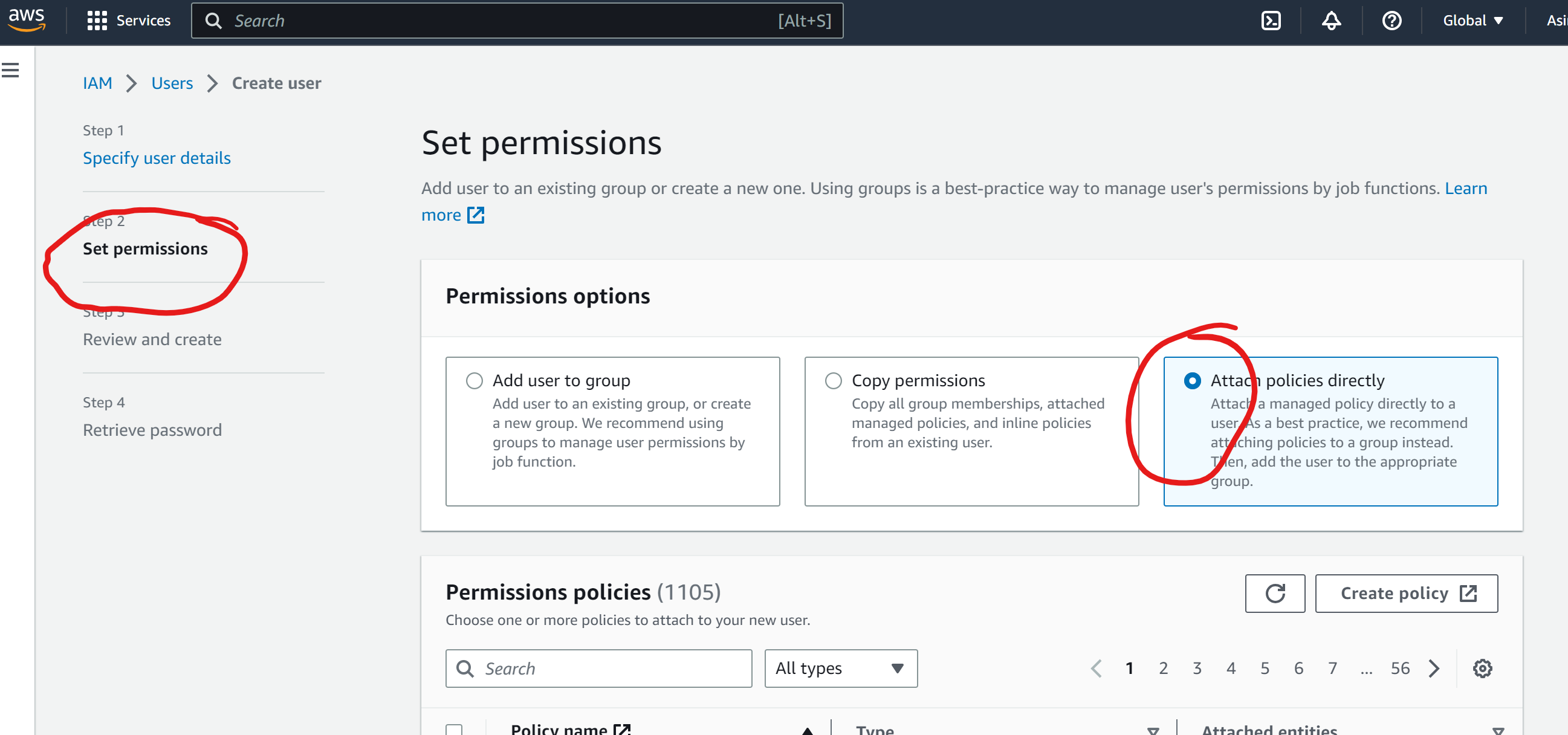
Attach the permissions
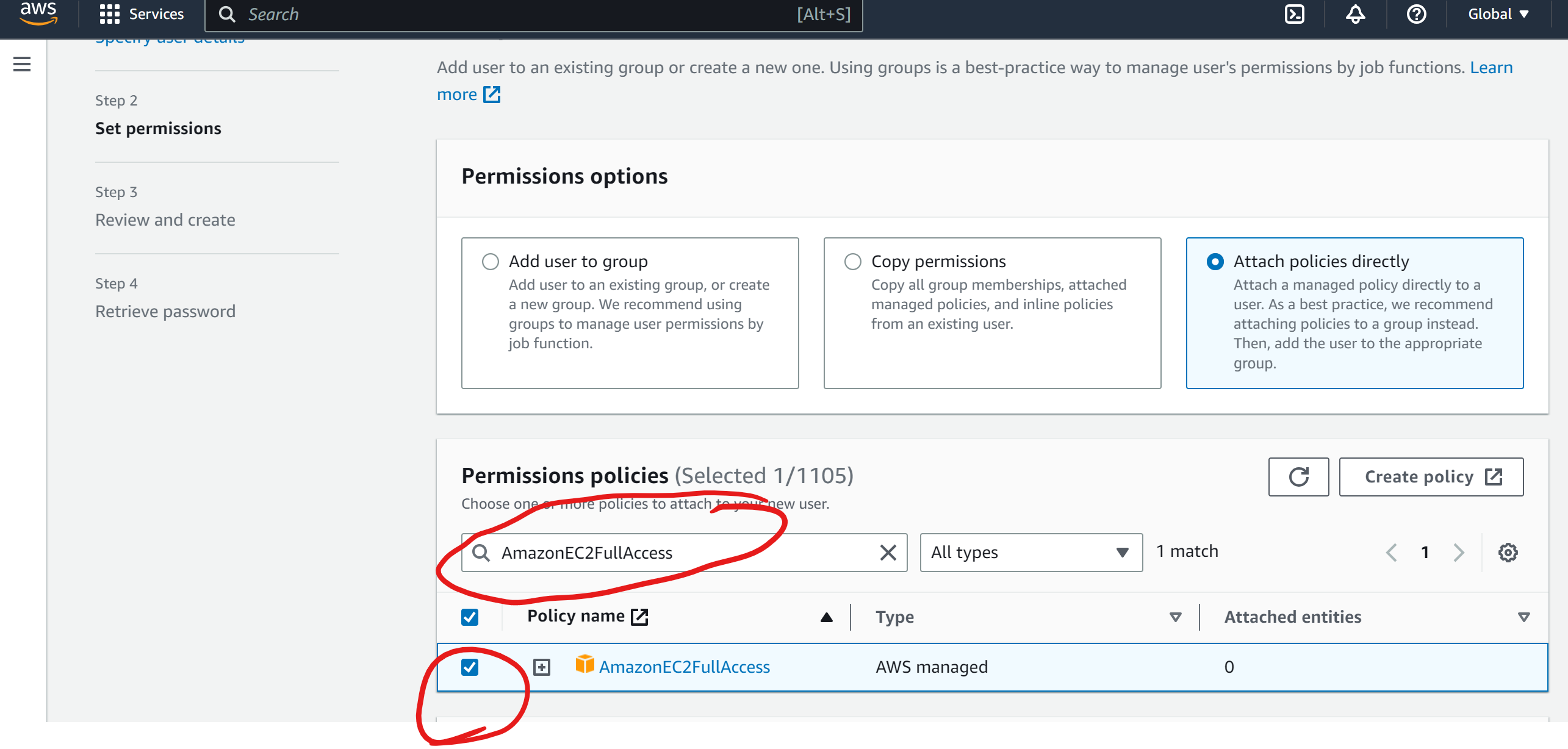
Now search for giving the Ec2 permission
You need to download the password
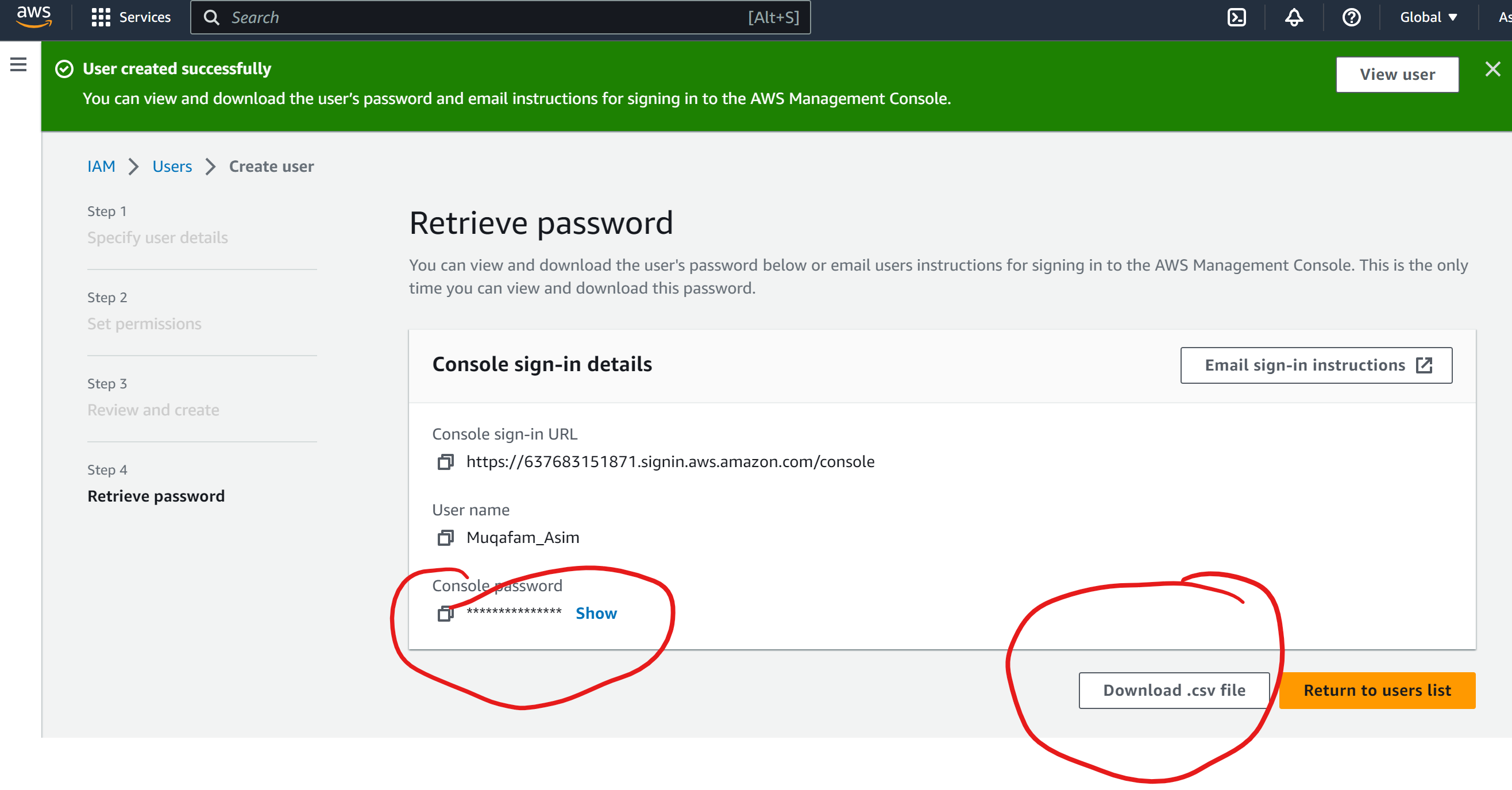
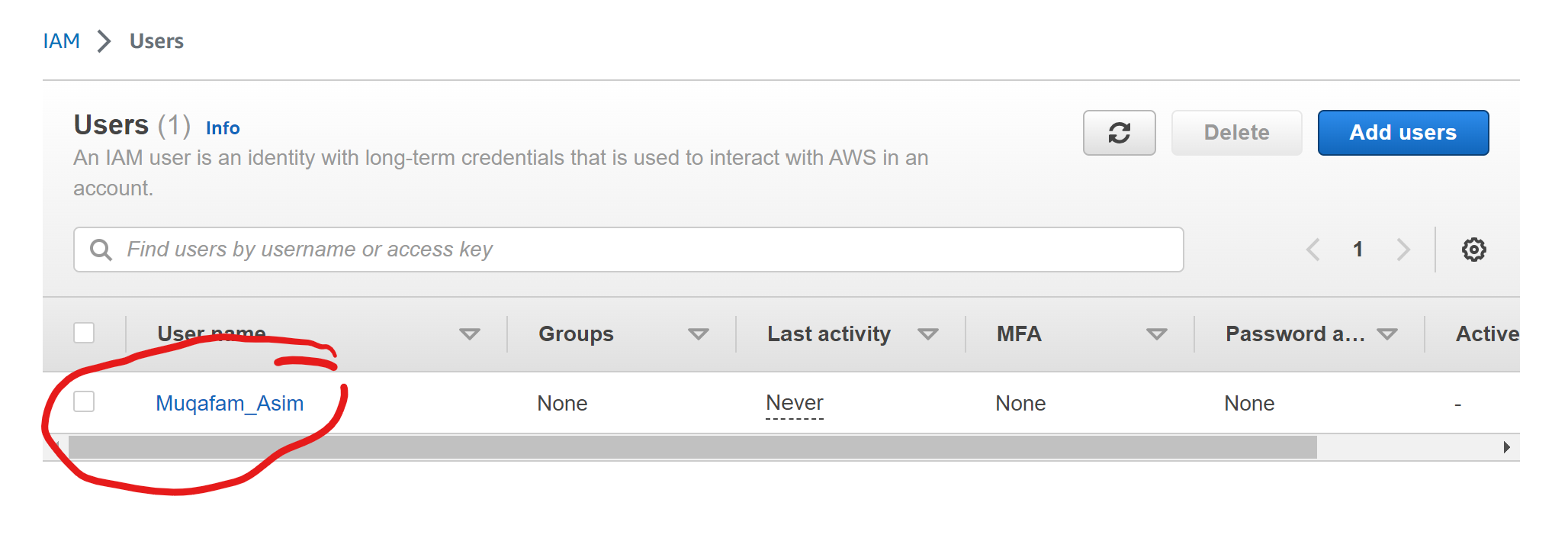
User has been Add
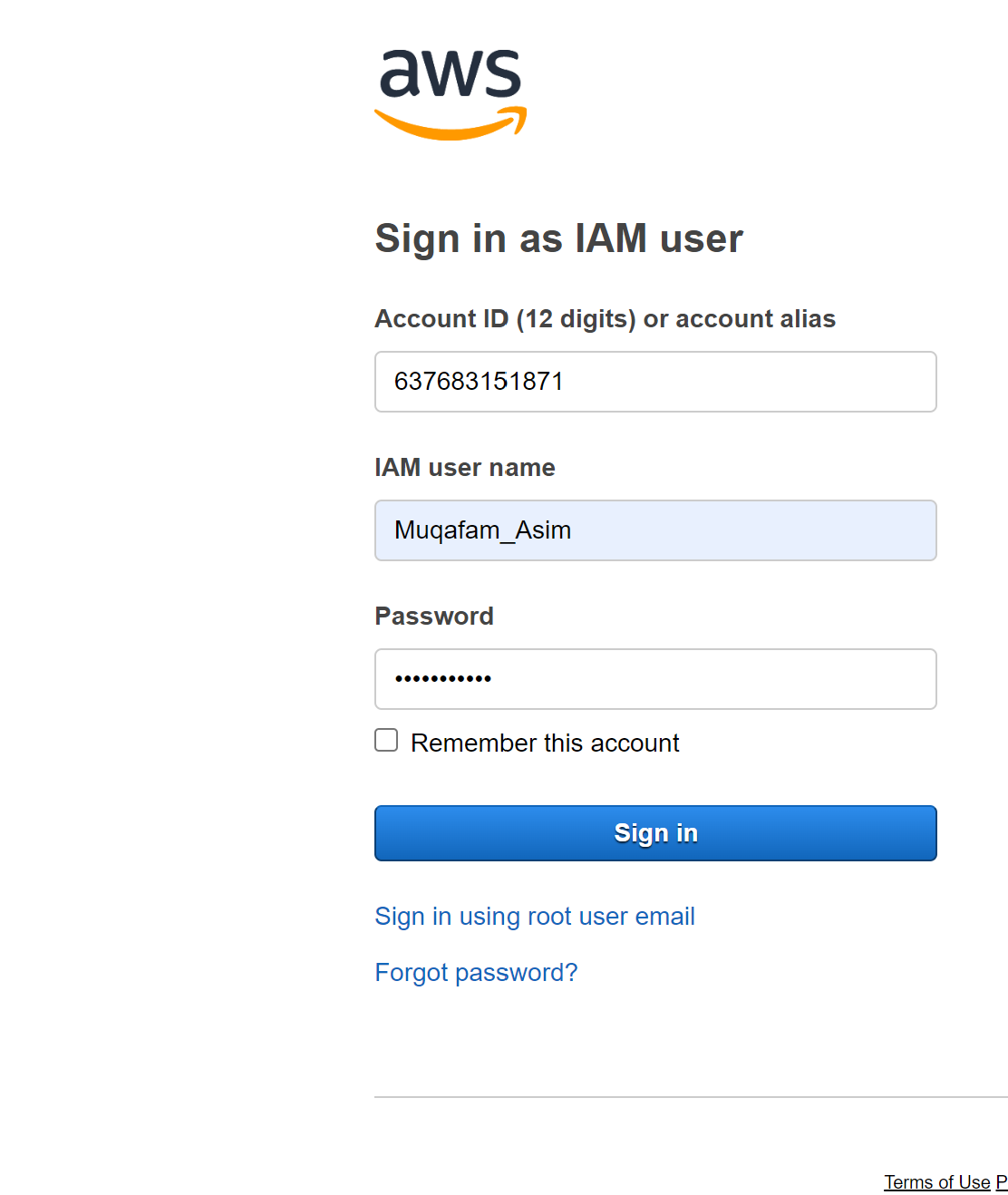
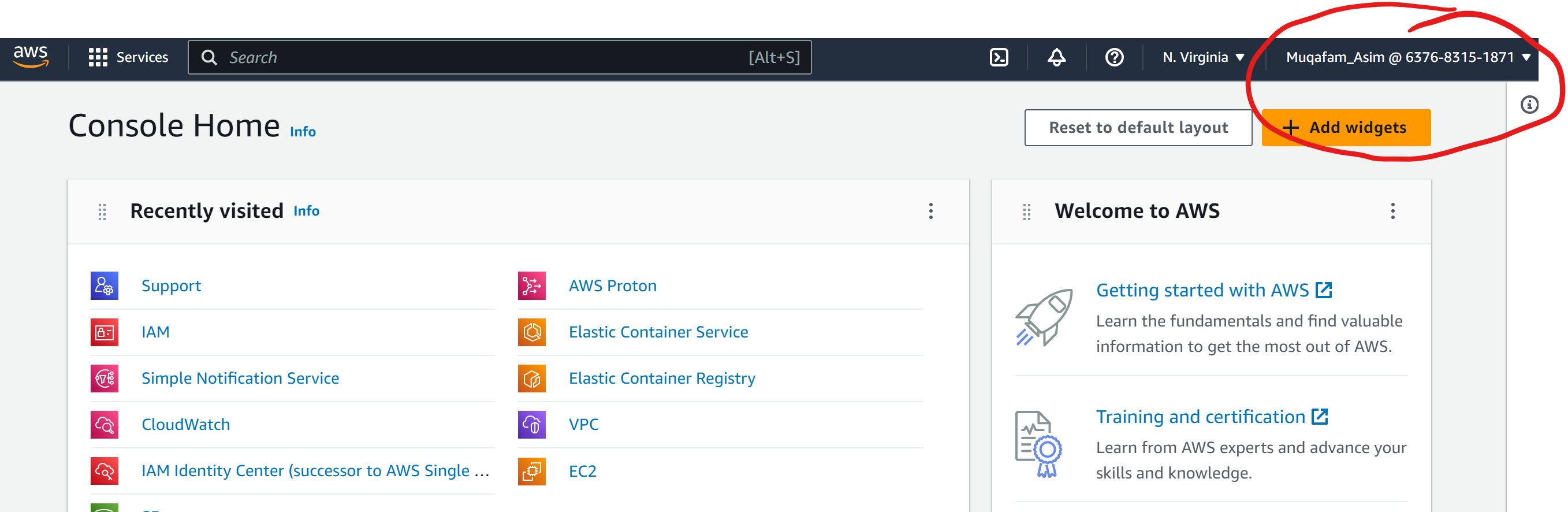
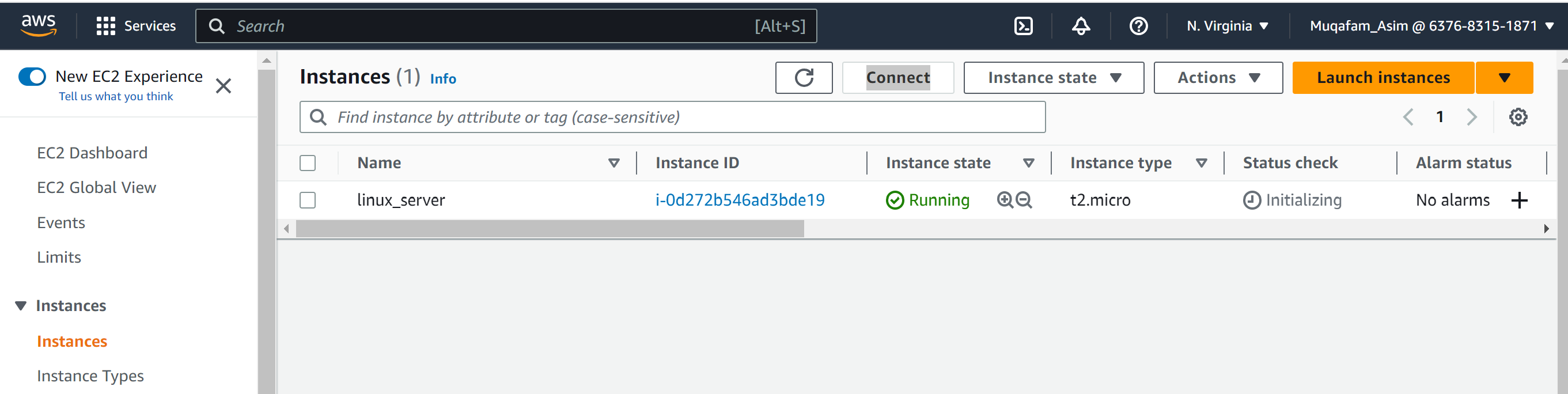
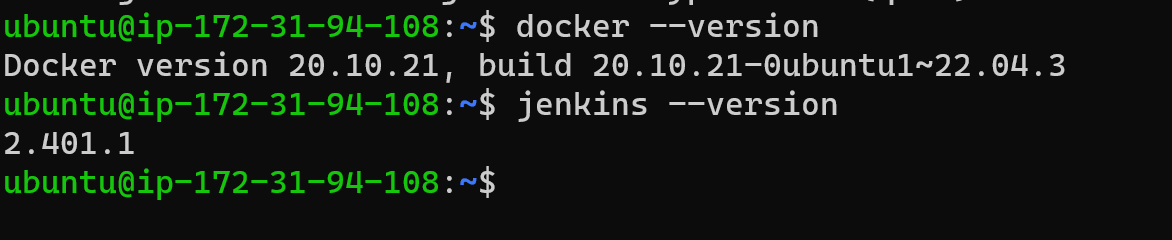
Launch your Linux instance through the IAM user that you created now and install Jenkins and docker on your machine via single Shell Script.
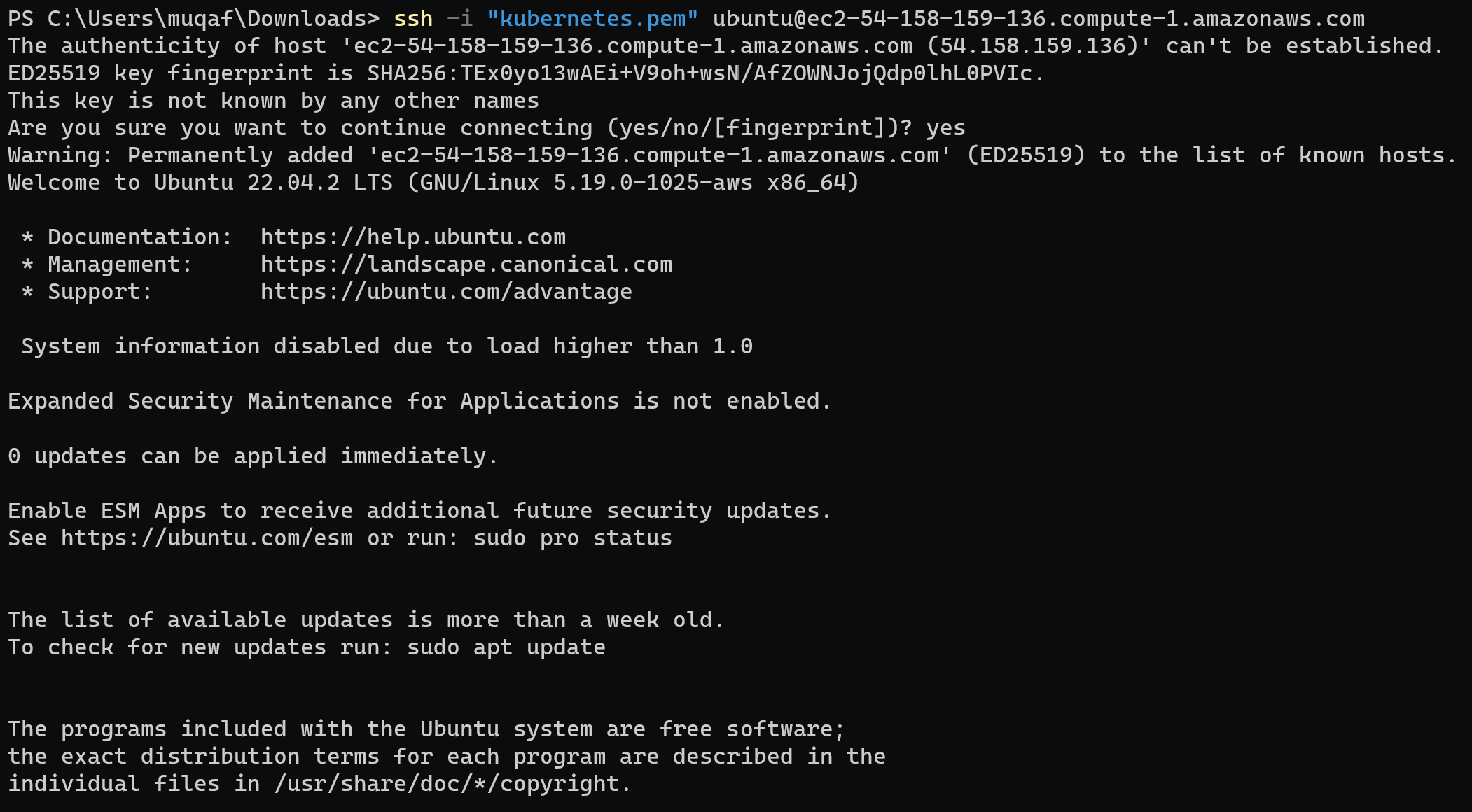
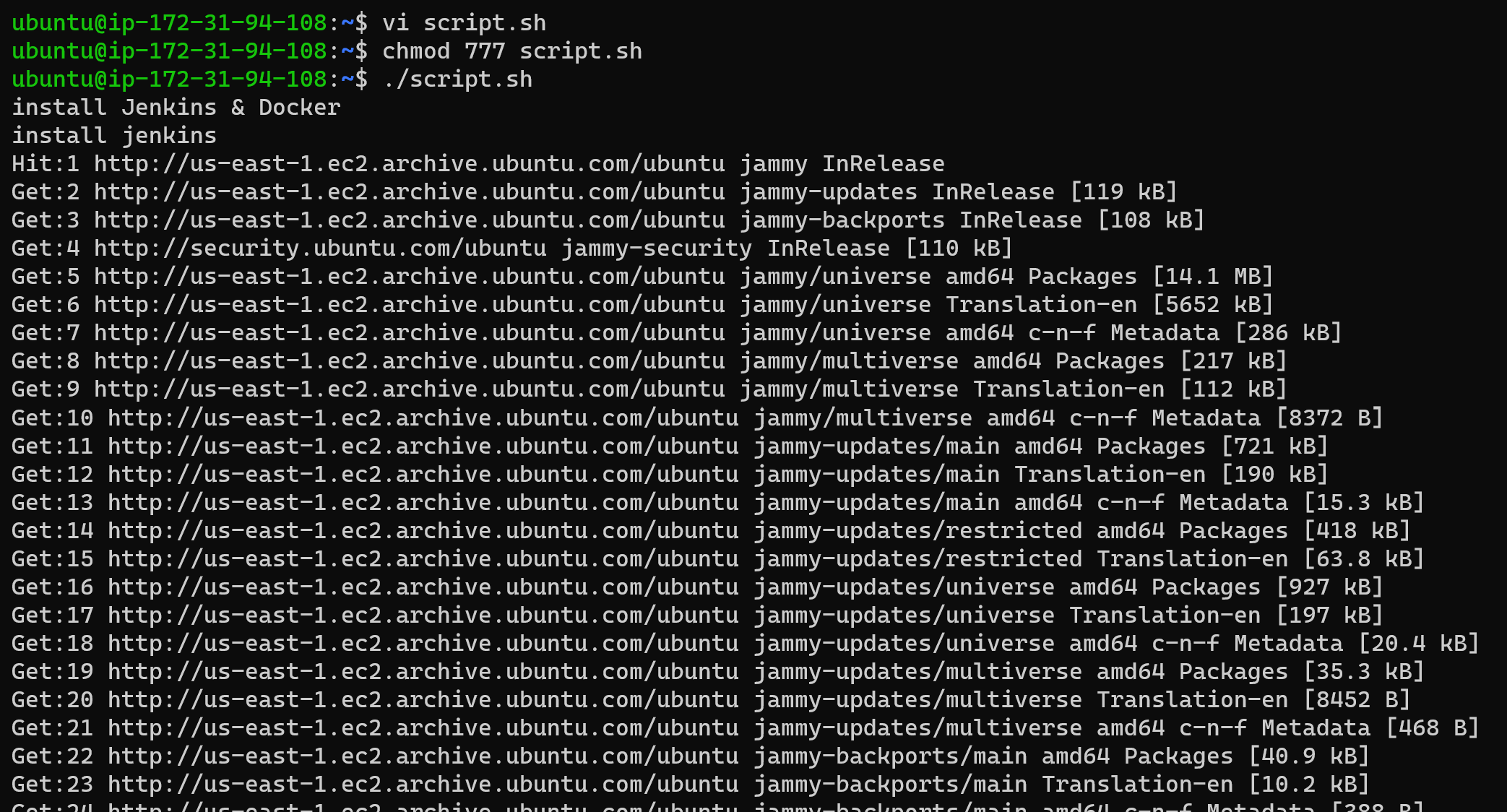
Script file and give them permission to run
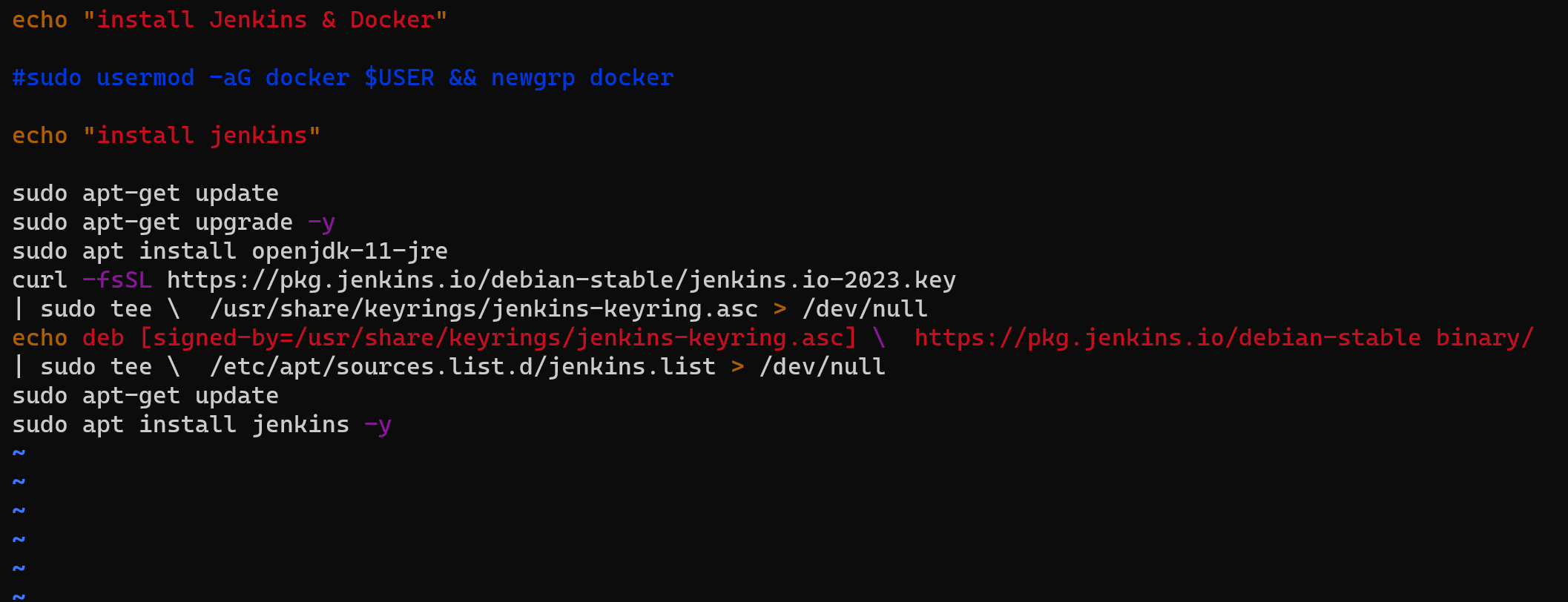
Write the script file to install the docker and Jenkins
For checking you use the version system.
Task2:
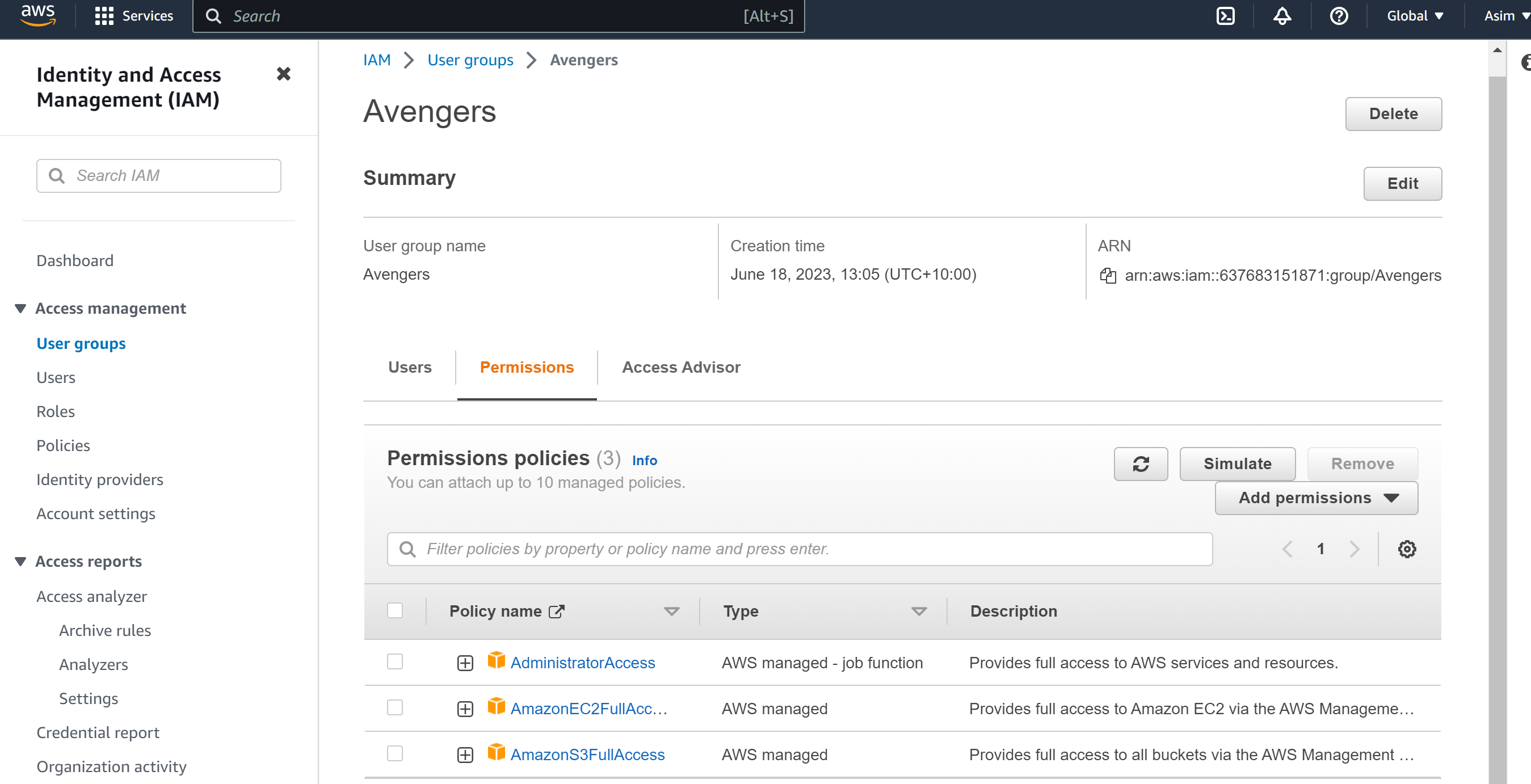
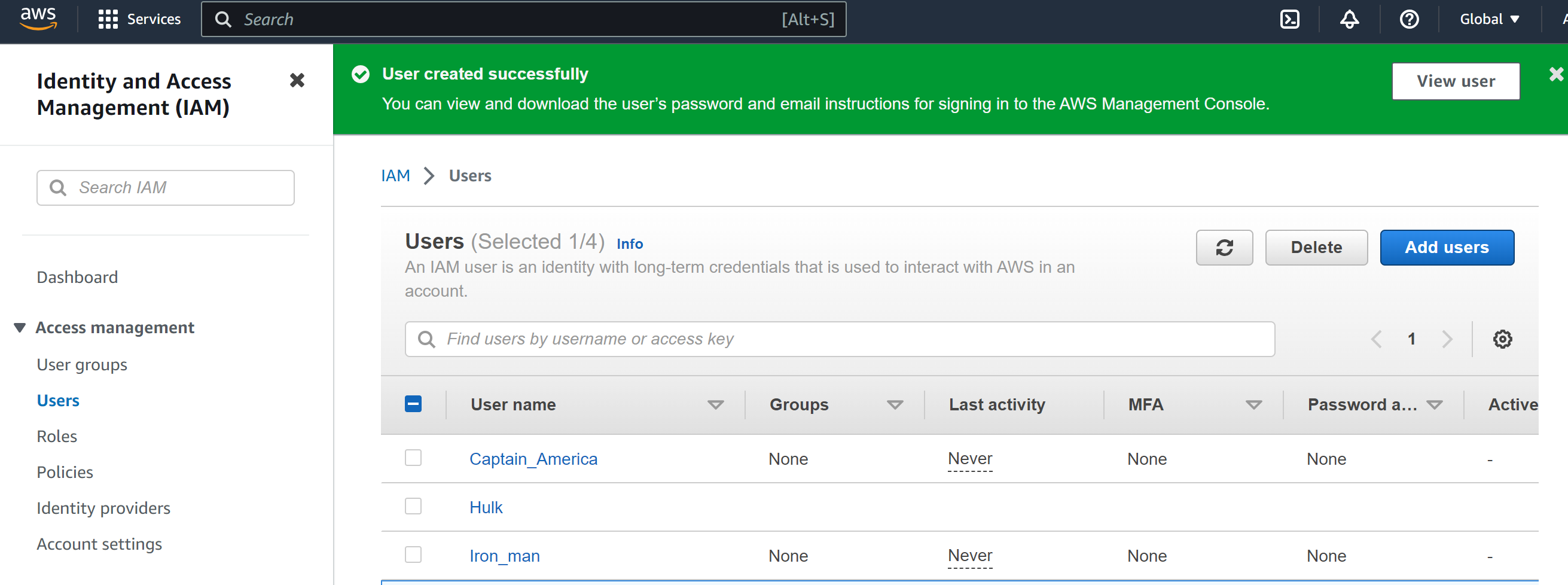
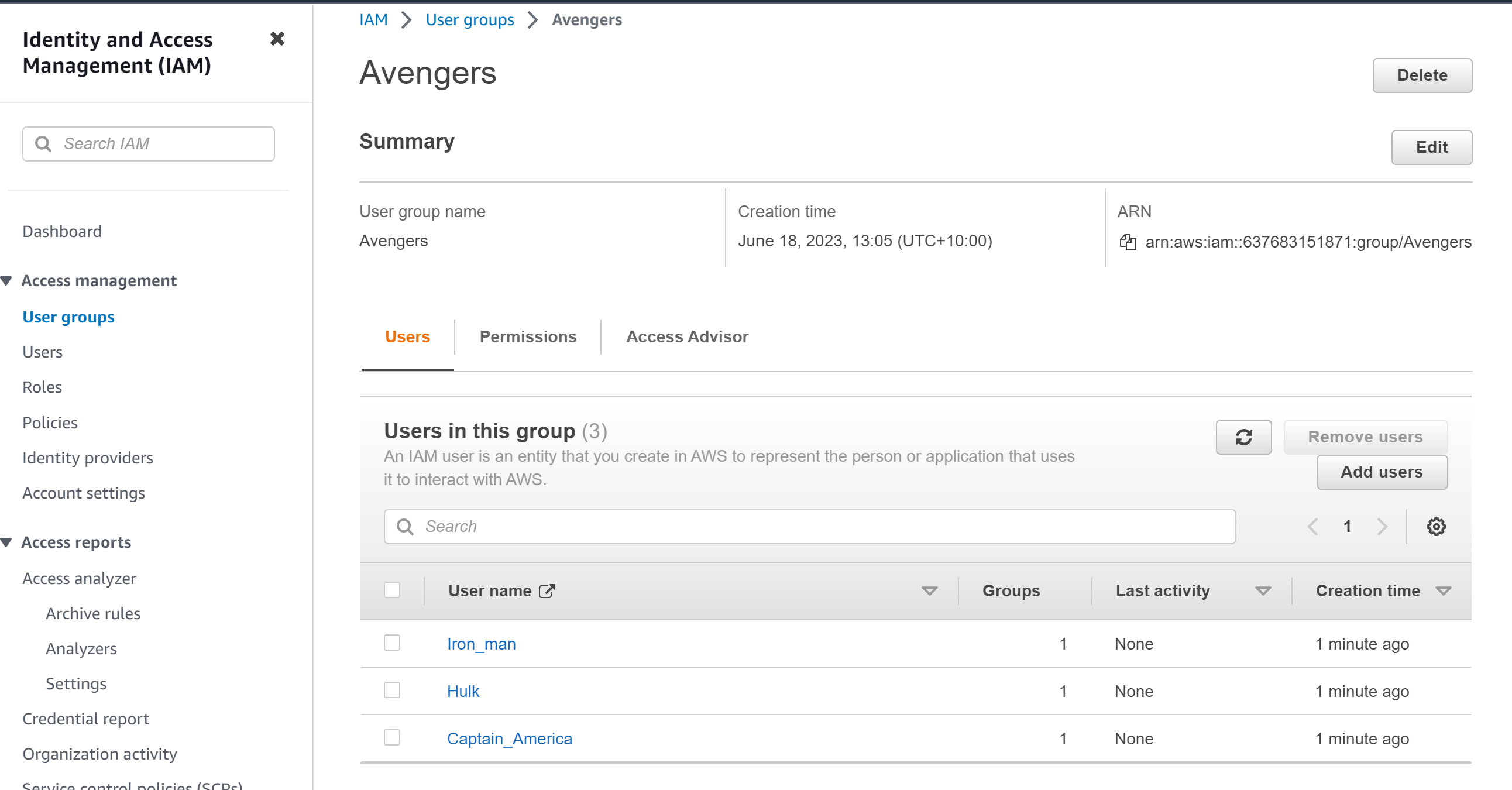
In this task, you need to prepare a DevOps team of Avengers. Create 3 IAM users of Avengers and assign them to devops groups with IAM policy.
First we need to create the group Name Avengers:
We need to make the three users and then add them to the group Avengers
Thanks for reading
Till then Happy Learning :)
Mohammed Muqafamuddin
Comments
Join the discussionNo comments yet. Be the first to comment.