Day 2 Task: Basics linux command

What is Linux:
Linux is an open-source operating system (OS) used for computers, servers, mainframes, mobile devices and embedded devices. Linux was founded by Linus Torvald in the year 1991. Linux is often used as a platform for running web servers, databases, and other enterprise applications due to its stability, security, and scalability. It is also widely used by developers, as it provides access to a vast range of tools and libraries for software development.
Why Linux in DevOps:
Linux is used in DevOps because it provides a stable and scalable platform for developing, deploying, and managing software applications.
Linux is scalable
Linux is open-source and free
Linux is highly secure
Linux is ideal for automation
Architecture of Linux
Here is the Architecture of the Linux

Applications: This is the topmost layer of the Linux architecture and consists of the various applications that run on the operating system. These can be anything from productivity software and games to web browsers and media players.
Shell: Shell is a program that provides a command-line interface for interacting with the operating system.
Kernel: The kernel is the core of the operating system and is responsible for managing the resources of the computer, such as the CPU, memory, and I/O devices.
Hardware: This is the bottommost layer of the Linux architecture and represents the physical hardware components of the computer, such as the processor, memory, and storage
Linux commands:
File commands
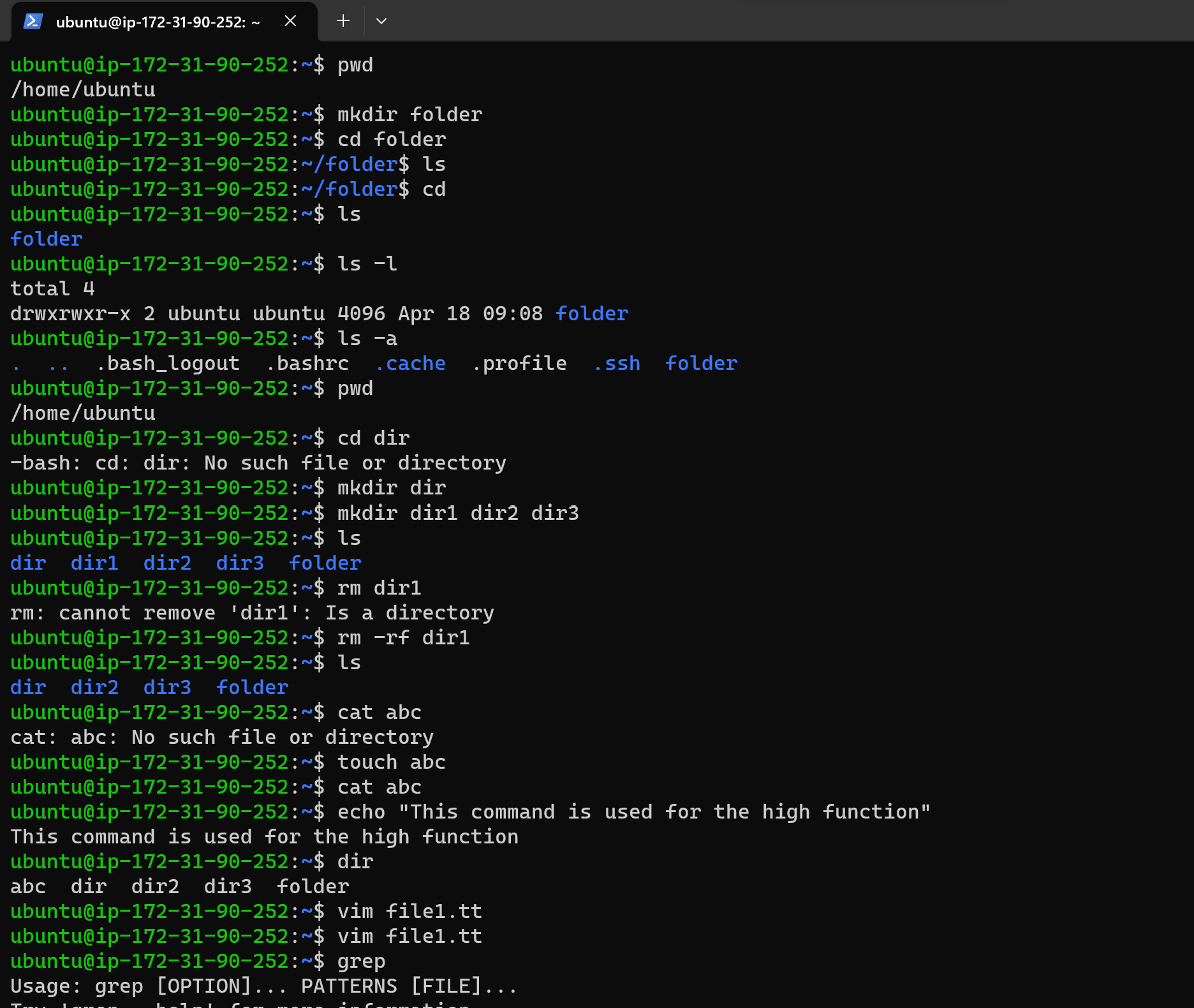
ls = This command is used for listing the directory.
ls -l = This command is used to show file type and access permissions.
ls -a = This command is used to show a list of hidden files.
ls -al = This command used lists files and directories detail.
pwd = This command is used to show the current working directory.
cd = This command is used to change to the home.
cd dir= This command is used to change the directory.
rm abc = This command is used to remove the abc file.
rm -rf = This command is used to forcefully deletes the directory
mv abc = This command is used to move the abc file.
touch abc = This command is used to create the empty file.
cat abc = This command is used to view the abc file.
cp abc xyz = This command is used to move from abc location to xyz location
dir = This command is used to show files in the current directory
file abc = This command gets type of abc\
Search commands
Grep = grep command is used to searches for file
grep -i = case insenstive search
grep -r = recursive search
grep -v = inverted search
grep -o = shows only matched part of the file
Comments
Join the discussionNo comments yet. Be the first to comment.