Computer Vision: Face and Eye Detection
In this OpenCV with Python tutorial, we're going to discuss object detection with Haar Cascades. We'll do face and eye detection to start. To do object recognition/detection with cascade files, you first need cascade files. For the extremely popular tasks, these already exist. Detecting things like faces, cars, smiles, eyes, and license plates for example are all pretty prevalent.
First, I will show you how to use these cascade files, then I will show you how to embark on creating your very own cascades, so that you can detect any object you want, which is pretty darn cool!
You can use Google to find various Haar Cascades of things you may want to detect. You shouldn't have too much trouble finding the aforementioned types. We will use a Face cascade and Eye cascade. You can find a few more at the root directory of Haar cascades. Note the license for using/distributing these Haar Cascades.
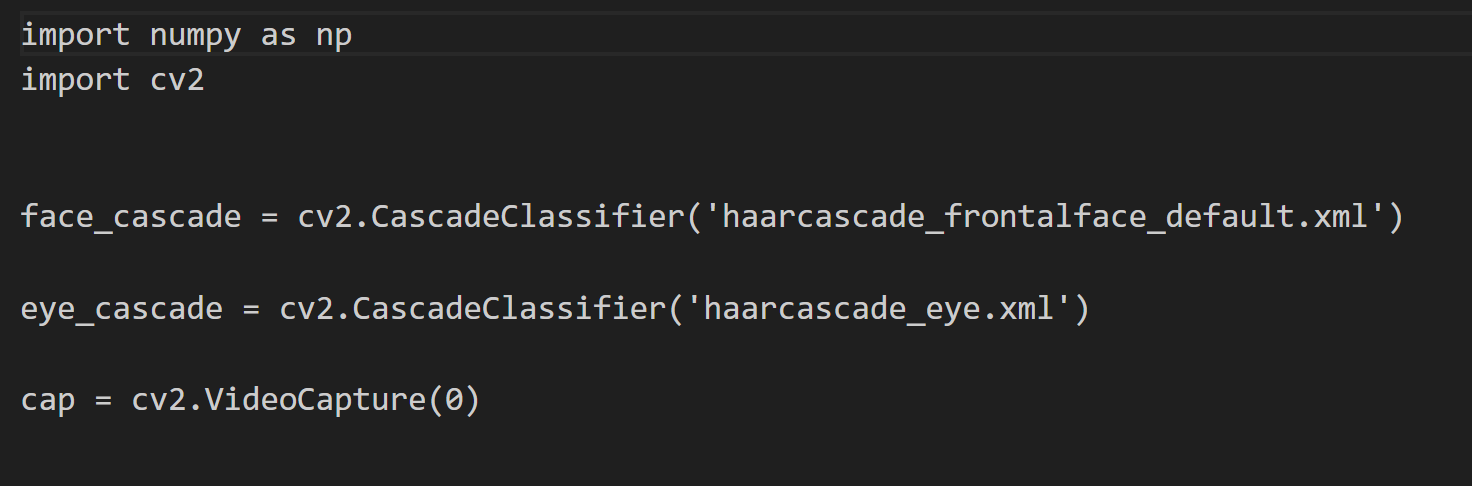
Let's begin our code. I am assuming you have downloaded the haarcascade_eye.xml and haarcascade_frontalface_default.xml from the links above, and have these files in your project's directory.
Here, we begin with import cv2 and numpy, then we load in our face and eye cascades.
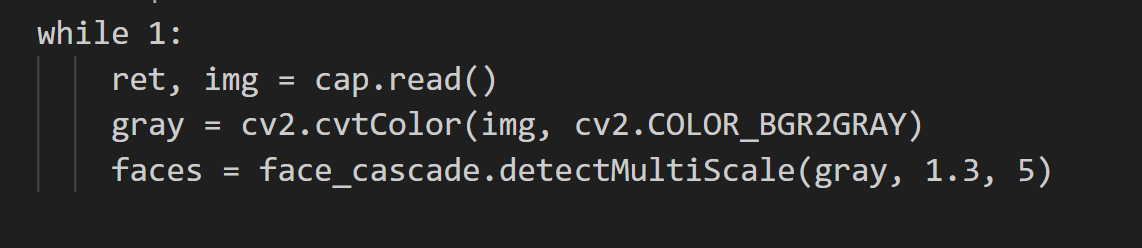
Now we begin our typical loop, the only new thing here is the creation of faces.
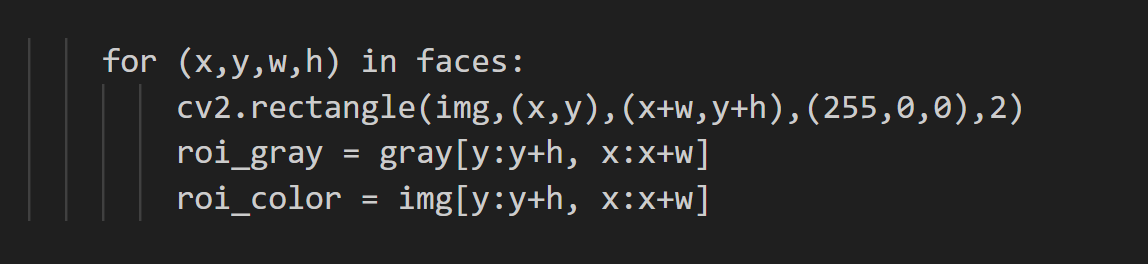
Here, we're finding faces, and their sizes, drawing rectangles, and noting the ROI. Next, we poke around for some eyes:
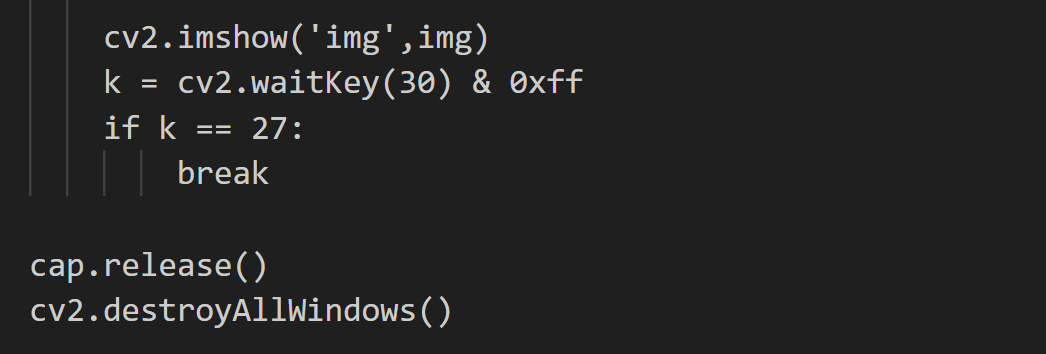
If we find those, we'll go ahead and make some more rectangles. Next we finish up:
Thankyou,
Mohammed Muqafamuddin.
Comments
Join the discussionNo comments yet. Be the first to comment.